Permission Configuration
Location Permissions (Required)
Location permissions are required to obtain the user's real-time location for navigation.
For configuration instructions, see [iOS Location SDK Permission Configuration].
Background Audio Permissions (Optional)
Background audio permissions are needed when the app is running in the background and must provide real-time navigation voice prompts using the SDK's built-in voice guidance.
Configuration details:
- Foreground voice guidance: No special permissions are required. Voice guidance works by default when the app is in the foreground.
- Background voice guidance: If your app uses the SDK's built-in voice guidance and requires it to continue in the background, you must request background audio playback permissions. Otherwise, this configuration is not needed.
> Important: To enable background voice guidance, you must also enable the Location updates background mode in Xcode:
> 1. Select your target in Xcode.
> 2. Go to Capabilities > Background Modes.
> 3. Check Location updates.

After enabling this option, the following entry is automatically added to the Required background modes key in your Info.plist file:
App plays audio or streams audio/video using AirPlay
Setting RTL Mode
// Set RTL layout mode
[AMapServices sharedServices].enableRTLLayout = AMapAttributeRTLStateEnabled;

// RTL Status:
// 0: Not set, follows the global setting
// 1: Disabled
// 2: Force enabled
typedef NS_ENUM(NSInteger, AMapAttributeRTLState)
{
    AMapAttributeRTLStateDefault = 0,    // Not set, follows the global setting
    AMapAttributeRTLStateDisabled,       // Disabled
    AMapAttributeRTLStateEnabled         // Force enabled
};
Privacy Compliance
For privacy compliance requirements, see iOS Navigation SDK Privacy.
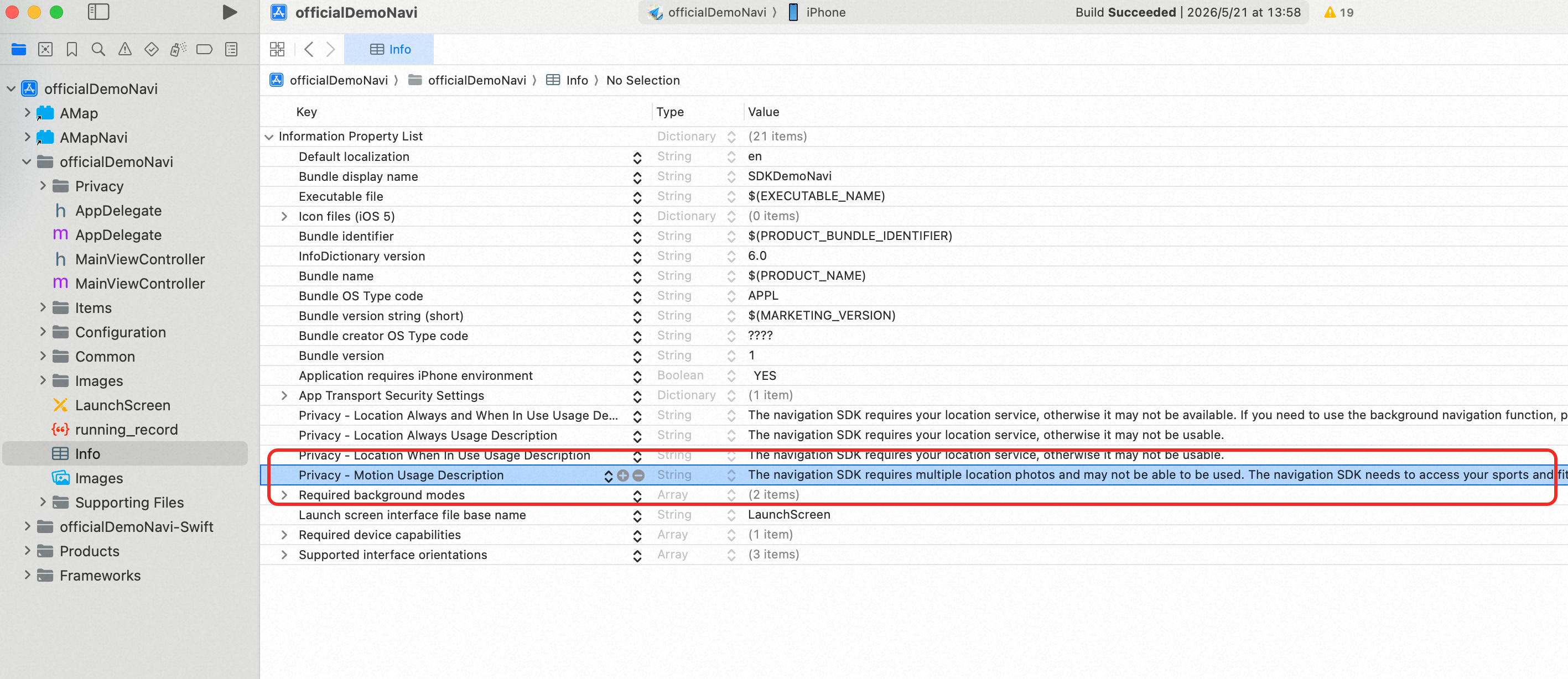
Motion & Fitness
Motion and fitness data is used to improve navigation accuracy.
For configuration instructions, refer to the following image: