
Other Customizations
The AMAPNavi SDK allows you to customize UI elements in AMapNaviDriveView, AMapNaviWalkView, and AMapNaviRideView, including map elements and interface controls. This enables you to create a navigation interface that matches your app's style and business requirements. The following examples use AMapNaviDriveView.
Smart Zoom
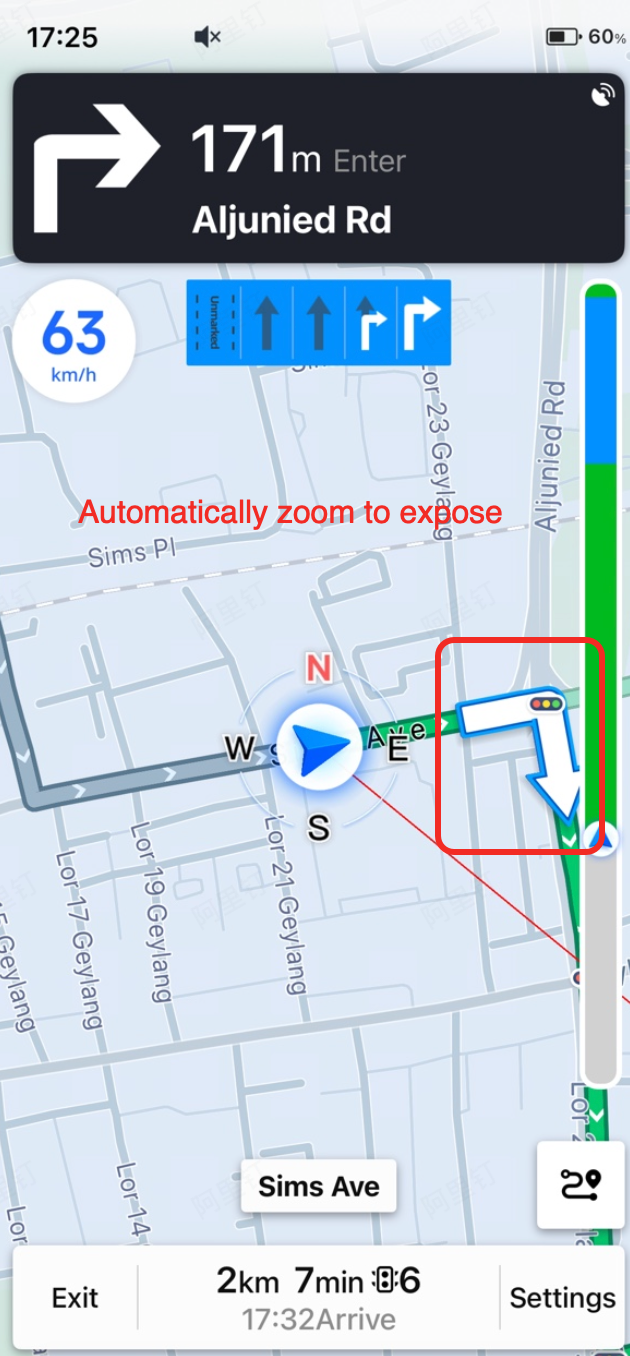

Smart zoom automatically adjusts the map zoom level when the display mode is locked to the car position. This ensures that the next navigation maneuver (such as a turn arrow) is visible on the map in advance, helping you anticipate lane changes or other actions.
Call the following API to enable or disable smart zoom. This setting supports dynamic switching during navigation.
/// Whether to automatically zoom the map to preview the next navigation action in car-locked mode. Default is NO. since 6.2.0
@property (nonatomic, assign) BOOL autoZoomMapLevel;
Day/Night Mode
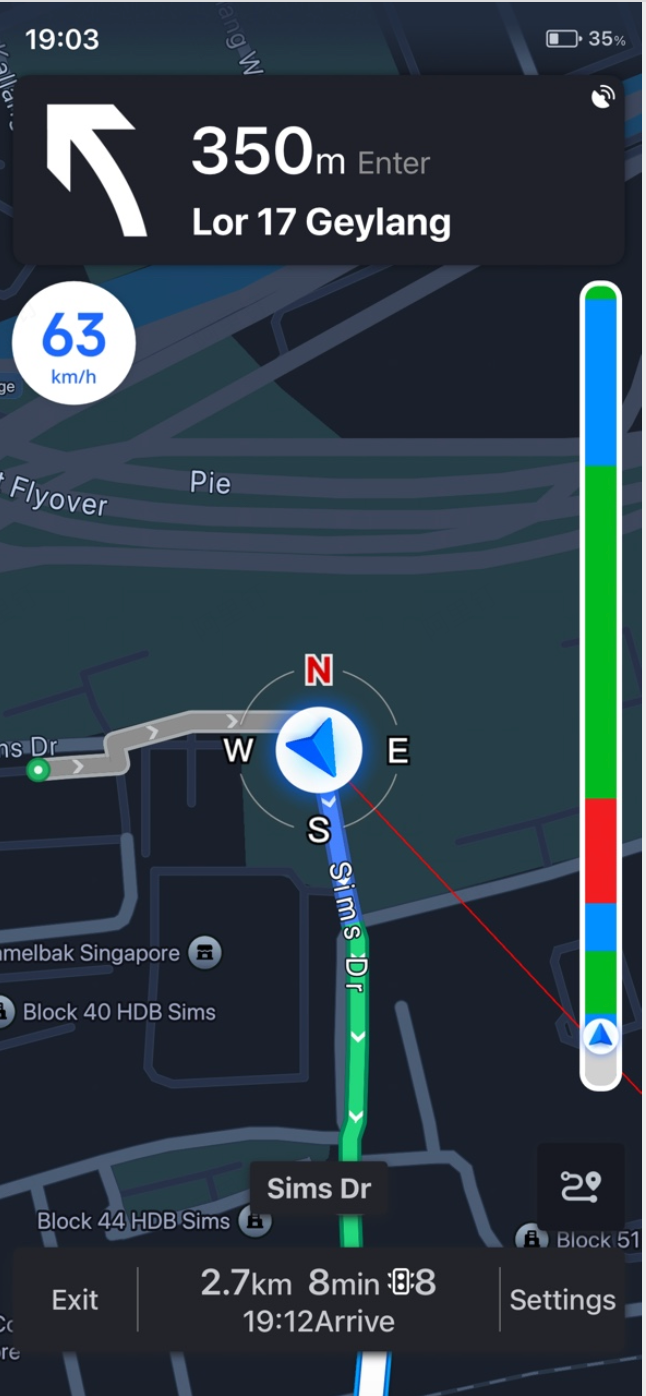
The AMapNaviDriveView supports four day/night modes:
- Day mode
- Night mode
- Auto-switch based on sunrise and sunset times
- Custom map style (requires calling -setCustomMapStyleOptions: with a MAMapCustomStyleOptions object)
Call the following API to set the mode. This setting supports dynamic switching during navigation.
/// Map style type for the navigation interface. since 6.7.0
typedef NS_ENUM(NSInteger, AMapNaviViewMapModeType)
{
    AMapNaviViewMapModeTypeDay = 0,                ///< Day mode
    AMapNaviViewMapModeTypeNight = 1,              ///< Night mode
    AMapNaviViewMapModeTypeDayNightAuto = 2,       ///< Auto-switch based on sunrise/sunset
    AMapNaviViewMapModeTypeCustom = 3,             ///< Custom map style (requires MAMapCustomStyleOptions)
};

/// Day/night mode type for the navigation interface. Default is AMapNaviViewMapModeTypeDay. since 6.7.0
@property (nonatomic, assign) AMapNaviViewMapModeType mapViewModeType;
Note: Custom map style is mutually exclusive with the other three modes. If you use a custom map style, the day, night, and auto-switch modes are disabled. You must calculate sunrise and sunset times for the user's location and provide different MAMapCustomStyleOptions objects to achieve day/night effects.
Auto-Lock to Car Position
When a user taps the map (switching to normal mode) or taps the overview button (switching to overview mode), the display mode changes from car-locked mode. Auto-lock automatically reverts the display mode back to car-locked mode after 7 seconds of inactivity.
For more information about display modes, see Display Mode and Follow Mode - Display Mode.
Call the following API to enable or disable auto-lock. This setting supports dynamic switching during navigation.
/// Whether to automatically switch back to car-locked mode after 7 seconds when the display mode is not locked to the car position. Default is NO. since 5.3.0
@property (nonatomic, assign) BOOL autoSwitchShowModeToCarPositionLocked;