
Navigation Events
Overview
During real driving navigation, the Navigation SDK exposes navigation data in real time through the <AMapNaviDriveDataRepresentable> protocol. This enables you to build custom UI components and is ideal for HUD and smart hardware solutions. For cycling, refer to the <AMapNaviRideDataRepresentable> protocol; for walking, refer to the <AMapNaviWalkDataRepresentable> protocol.
Before You Begin
In a custom view scenario, before starting navigation, ensure that you have added the driveView, rideView, or walkView to the manager using the addDataRepresentative: method.
AMapNaviDriveView *driveView = [[AMapNaviDriveView alloc] initWithFrame:self.view.bounds];
[[AMapNaviDriveManager sharedInstance] addDataRepresentative: driveView];
[[AMapNaviDriveManager sharedInstance] addDataRepresentative:self];
[[AMapNaviDriveManager sharedInstance] calculateDriveRouteWithStartPOIInfo:self.startPOIInfo
                                                                endPOIInfo:self.endPOIInfo
                                                               wayPOIInfos:nil
                                                           drivingStrategy:AMapNaviDrivingStrategyMultipleDefault];
Navigation Data
NaviInfo
NaviInfo provides key navigation information, such as the current road name, the time and distance remaining to the destination, and information about facilities that have not been bypassed. The top guidance panel of AMapNaviDriveView primarily obtains its data from this callback.
/**
 * @brief Callback for navigation information updates.
 * @param driveManager The driving navigation manager.
 * @param naviInfo     Navigation information. See the AMapNaviInfo class.
 */
- (void)driveManager:(AMapNaviDriveManager *)driveManager updateNaviInfo:(nullable AMapNaviInfo *)naviInfo;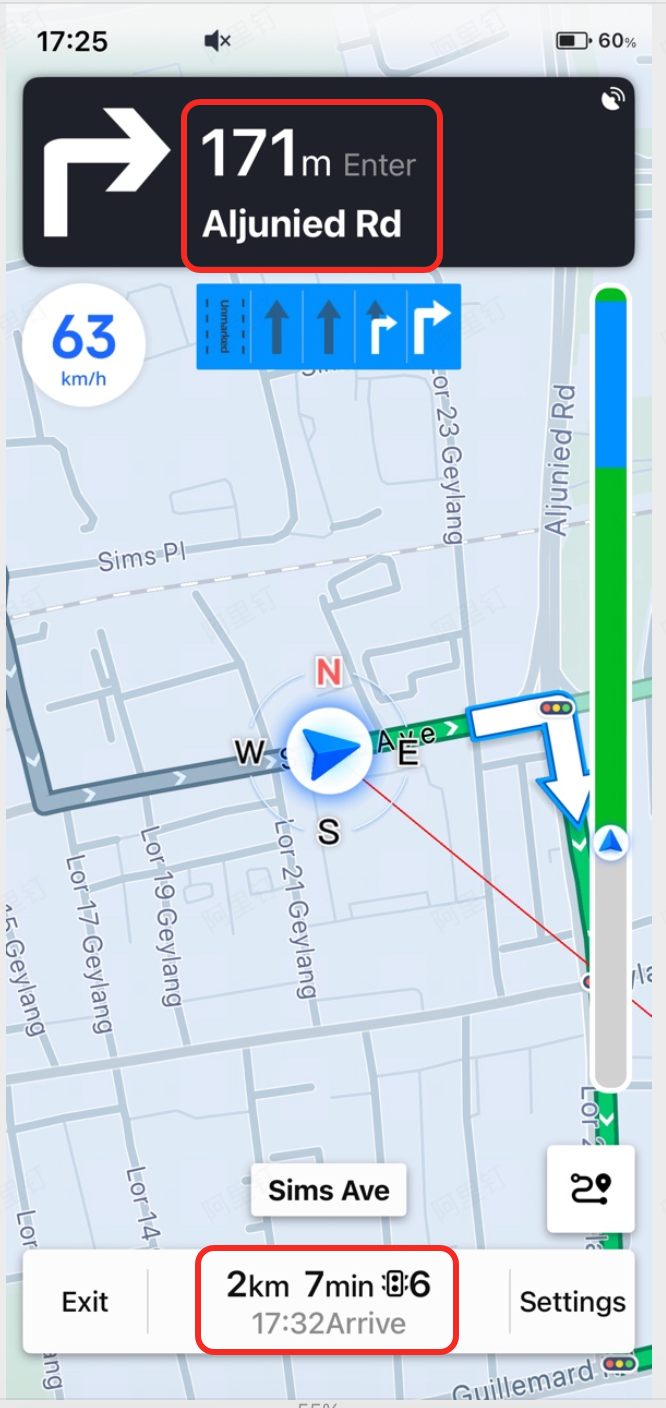
Junction View
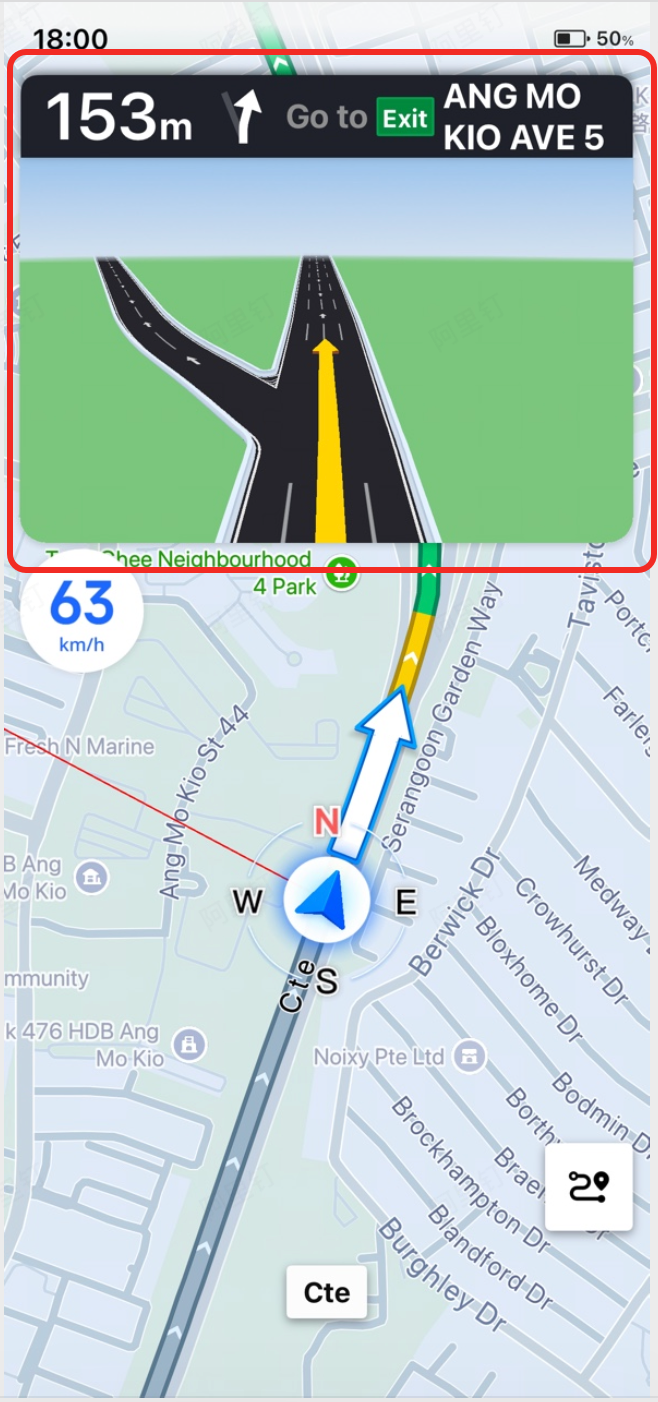
The junction view feature provides two callbacks: one for showing and one for hiding the junction image.
/**
 * @brief Callback when a junction view image needs to be displayed.
 * @param driveManager The driving navigation manager.
 * @param crossImage   The junction view image (aspect ratio: 25:16).
 */
- (void)driveManager:(AMapNaviDriveManager *)driveManager showCrossImage:(UIImage *)crossImage;

/**
 * @brief Callback when the junction view image needs to be hidden.
 * @param driveManager The driving navigation manager.
 */
- (void)driveManagerHideCrossImage:(AMapNaviDriveManager *)driveManager;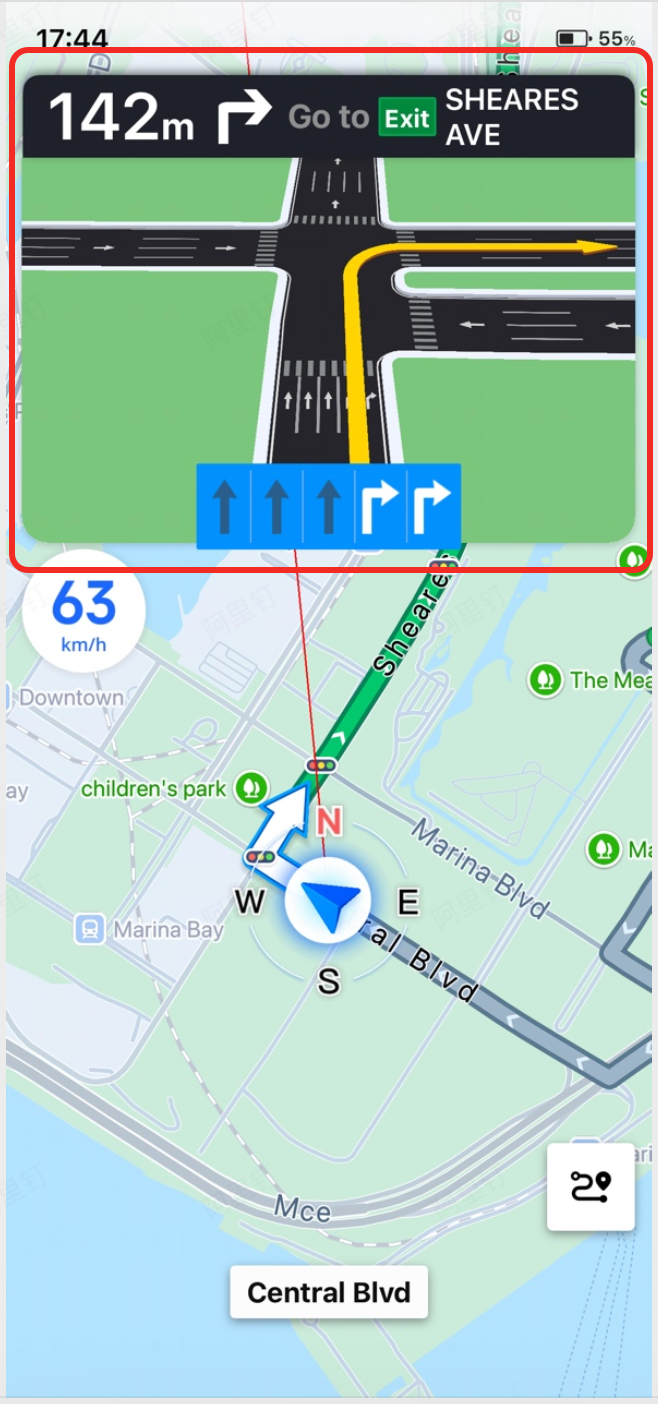
Lane Information
The lane information feature provides two callbacks: one for showing and one for hiding lane data. You can use the CreateLaneInfoImageWithLaneInfo(NSString *laneBackInfo, NSString *laneSelectInfo) method to create lane information images.
The lane type codes are as follows:
/**
 * @brief Callback when lane information needs to be displayed.
 * @param driveManager   The driving navigation manager.
 * @param laneBackInfo   Lane background information. For example, @"1|0|0|4" indicates 4 lanes: left turn, straight, straight, right turn + straight.
 * @param laneSelectInfo Lane foreground information. The count must match laneBackInfo. For example, @"255|0|0|0" indicates that lanes 2, 3, and 4 (all straight) are selected.
 */
- (void)driveManager:(AMapNaviDriveManager *)driveManager showLaneBackInfo:(NSString *)laneBackInfo laneSelectInfo:(NSString *)laneSelectInfo;

/**
 * @brief Callback when lane information needs to be hidden.
 * @param driveManager The driving navigation manager.
 */
- (void)driveManagerHideLaneInfo:(AMapNaviDriveManager *)driveManager;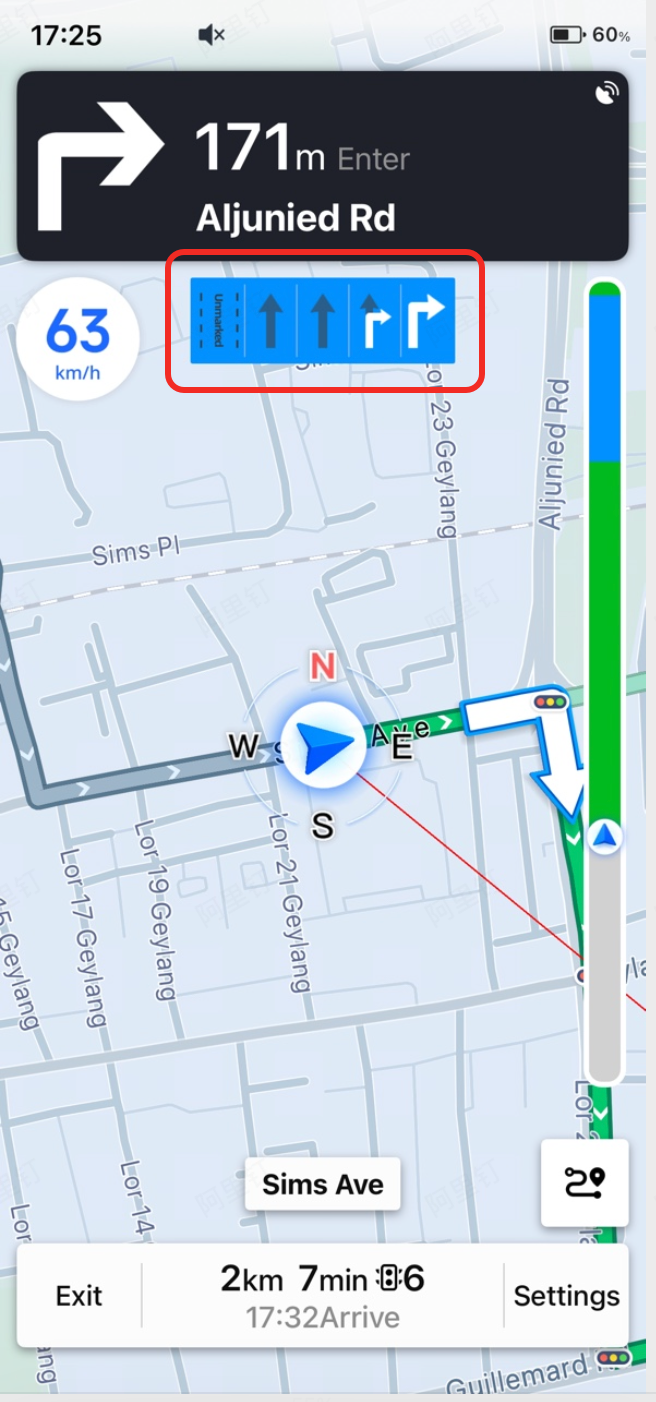
Turn Icon
Starting from SDK v6.2.0, the Navigation SDK provides a dedicated callback for turn icons. These icons include road network information for a more intuitive display.
/**
 * @brief Callback for turn icon updates during navigation. (since 6.2.0)
 * @param driveManager  The driving navigation manager.
 * @param turnIconImage The turn icon image. Default size is (255, 255).
 * @param turnIconType  The turn icon type. See the AMapNaviIconType class.
 */
- (void)driveManager:(AMapNaviDriveManager *)driveManager updateTurnIconImage:(nullable UIImage *)turnIconImage turnIconType:(AMapNaviIconType)turnIconType;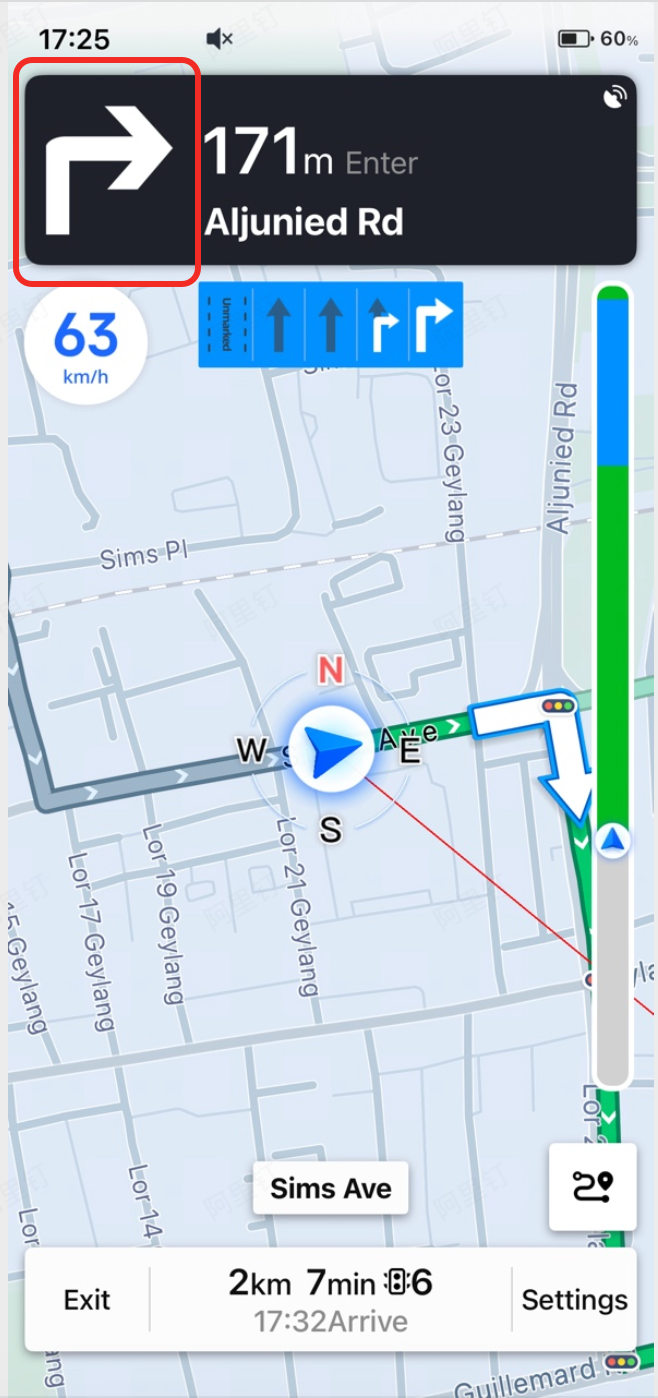
Traffic Status
The traffic status callback returns the traffic conditions for the current guided route. This data can be used to render a traffic bar chart.
/**
 * @brief Callback for traffic bar chart information updates.
 * @param driveManager  The driving navigation manager.
 * @param trafficStatus An array of traffic bar chart information. See the AMapNaviTrafficStatus class.
 */
- (void)driveManager:(AMapNaviDriveManager *)driveManager updateTrafficStatus:(nullable NSArray<AMapNaviTrafficStatus *> *)trafficStatus;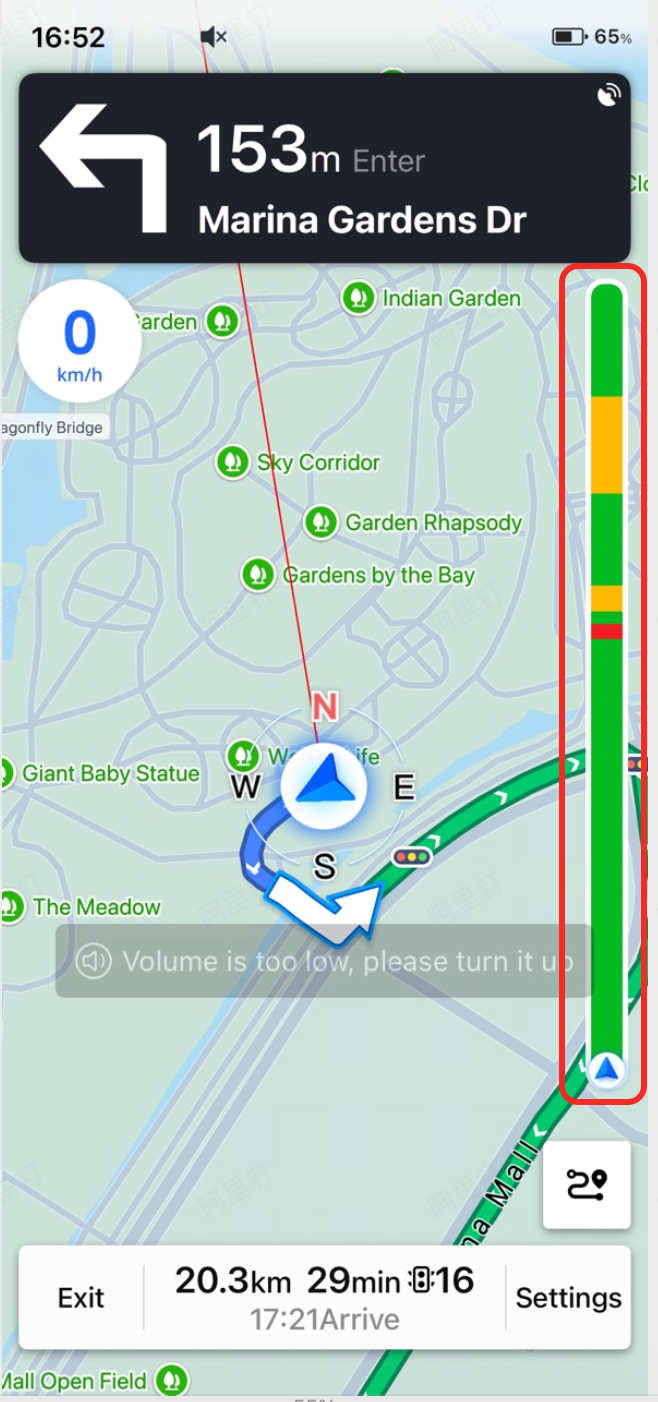
Congestion Information
Starting from SDK v7.5.0, the Navigation SDK provides information about upcoming congestion areas.
/**
 * @brief Callback for updates on upcoming congestion area information. (since 7.5.0)
 * @param driveManager    The driving navigation manager.
 * @param congestionInfo  Congestion area information. See the AMapNaviCongestionInfo class. Returns nil if the vehicle has passed the congestion area or if it is no longer congested.
 */
- (void)driveManager:(AMapNaviDriveManager *)driveManager updateCongestionInfo:(nullable AMapNaviCongestionInfo *)congestionInfo;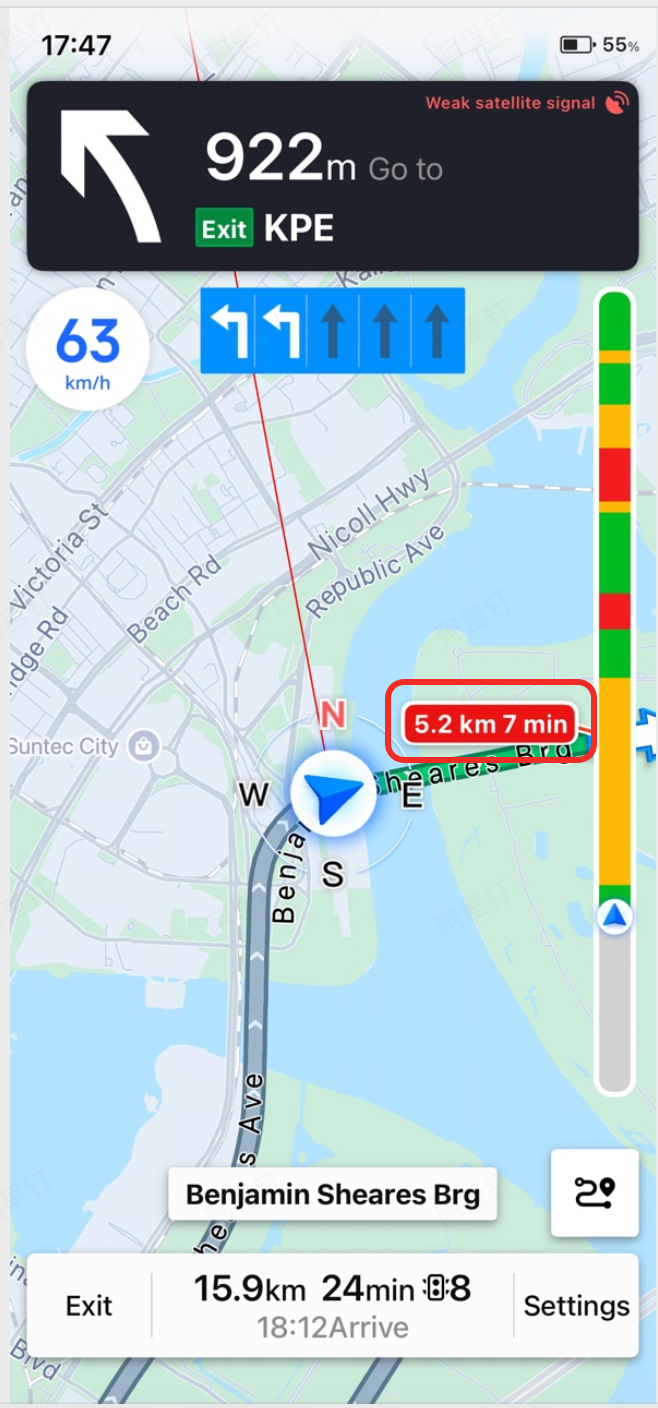
Camera Information
Camera information includes the camera type, whether it enforces speed limits, its latitude/longitude coordinates, and the distance from the vehicle's current position to the camera.
/**
 * @brief Callback for camera information updates. (since 5.0.0)
 * @param driveManager The driving navigation manager.
 * @param cameraInfos  Camera information. See the AMapNaviCameraInfo class.
 */
- (void)driveManager:(AMapNaviDriveManager *)driveManager updateCameraInfos:(nullable NSArray<AMapNaviCameraInfo *> *)cameraInfos;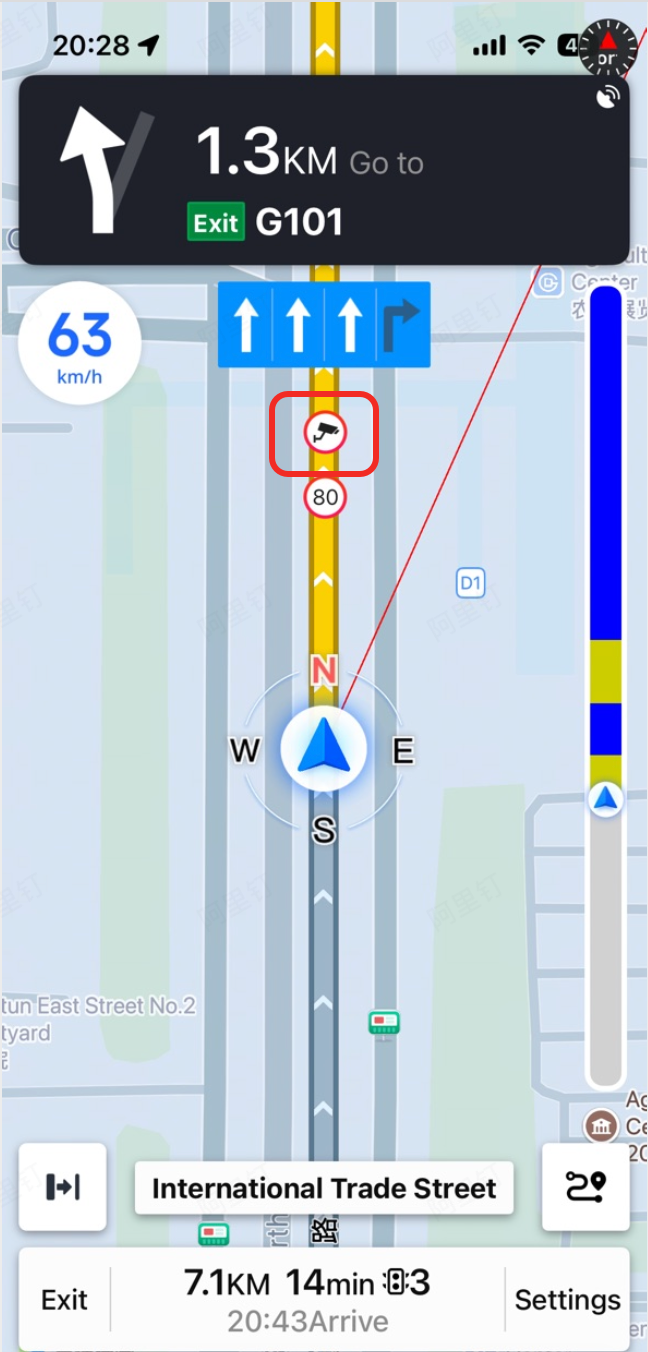
Interval Camera Information
Starting from SDK v6.0.0, the Navigation SDK provides information about interval speed cameras. This includes the positional relationship between the vehicle and the interval speed camera section, as well as dynamically updated real-time information.
/**
 * @brief Callback for interval camera information updates. (since 6.0.0)
 * @param driveManager The driving navigation manager.
 * @param state        The positional relationship between the vehicle and the interval speed camera section. See the AMapNaviIntervalCameraPositionState class.
 * @param startInfo    Camera information for the start of the interval. See the AMapNaviCameraInfo class.
 * @param endInfo      Camera information for the end of the interval. See the AMapNaviCameraInfo class.
 */
- (void)driveManager:(AMapNaviDriveManager *)driveManager updateIntervalCameraWithPositionState:(AMapNaviIntervalCameraPositionState)state startInfo:(nullable AMapNaviCameraInfo *)startInfo endInfo:(nullable AMapNaviCameraInfo *)endInfo;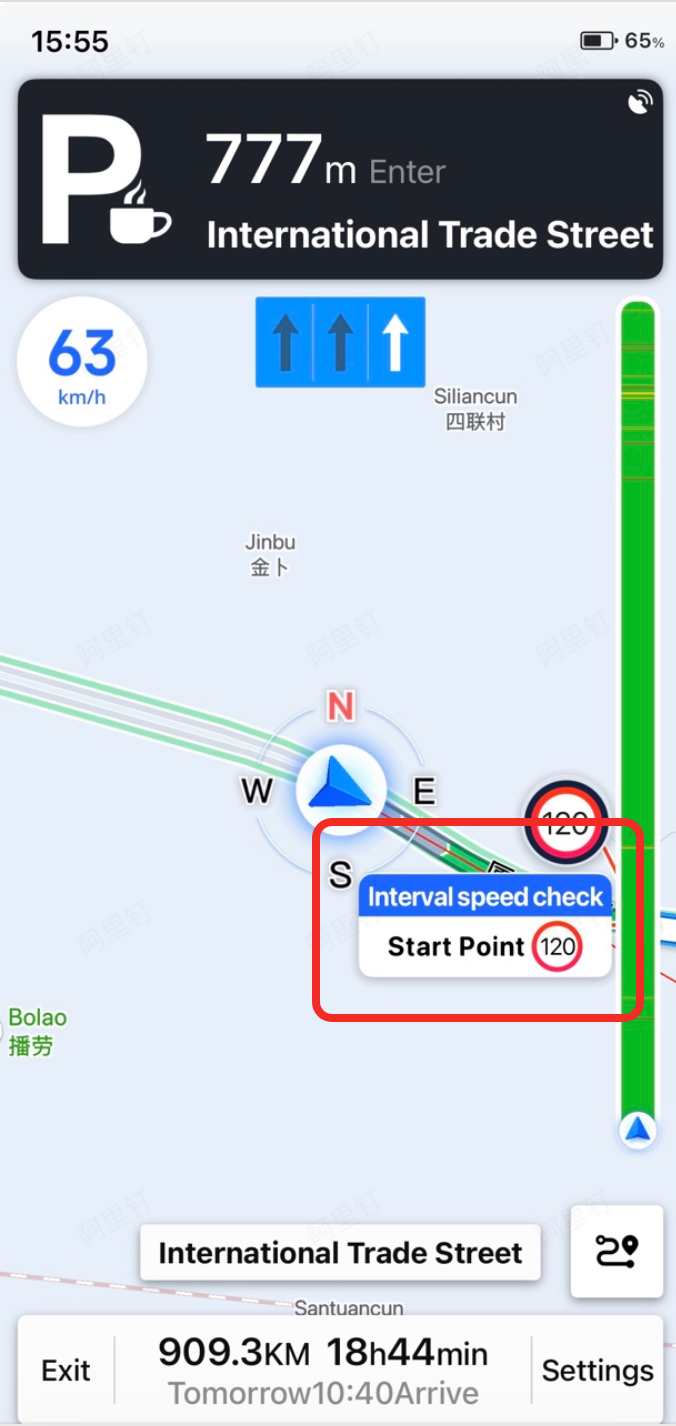
Service Area and Toll Station Information
Starting from SDK v5.0.0, the Navigation SDK provides information about service areas and toll stations. This includes the service area type, name, latitude/longitude coordinates, and the distance from the vehicle's current position to the service area.
/**
 * @brief Callback for service area and toll station information updates. since 5.0.0
 * @param driveManager The driving navigation manager.
 * @param serviceAreaInfos Service area information. Refer to AMapNaviServiceAreaInfo.
 */
- (void)driveManager:(AMapNaviDriveManager *)driveManager updateServiceAreaInfos:(nullable NSArray<AMapNaviServiceAreaInfo *> *)serviceAreaInfos;