
GPS Signal Strength
Starting from version 5.5.0 for driving navigation and version 7.4.0 for cycling and walking navigation, the SDK provides methods and callbacks to retrieve the current GPS signal strength. When the GPS signal is weak, the vehicle position may not update in a timely manner. The following example uses driving navigation, with the relevant interfaces available in AMapNaviDriveManager:
/// GPS signal strength type. Since 5.5.0
typedef NS_ENUM(NSInteger, AMapNaviGPSSignalStrength)
{
    AMapNaviGPSSignalStrengthUnknow = 0,    // 0: Unknown signal strength
    AMapNaviGPSSignalStrengthStrong = 1,    // 1: Strong signal
    AMapNaviGPSSignalStrengthWeak = 2,      // 2: Weak signal
};

/// GPS signal strength type, see AMapNaviGPSSignalStrength. Since 5.5.0
@property (nonatomic, assign, readonly) AMapNaviGPSSignalStrength gpsSignalStrength;
The <AMapNaviDriveManagerDelegate> protocol provides the following callback:
/**
 * @brief Callback for GPS signal strength updates. Since 5.5.0
 * @param driveManager The driving navigation manager instance
 * @param gpsSignalStrength The GPS signal strength type, see AMapNaviGPSSignalStrength
 */
- (void)driveManager:(AMapNaviDriveManager *)driveManager updateGPSSignalStrength:(AMapNaviGPSSignalStrength)gpsSignalStrength;
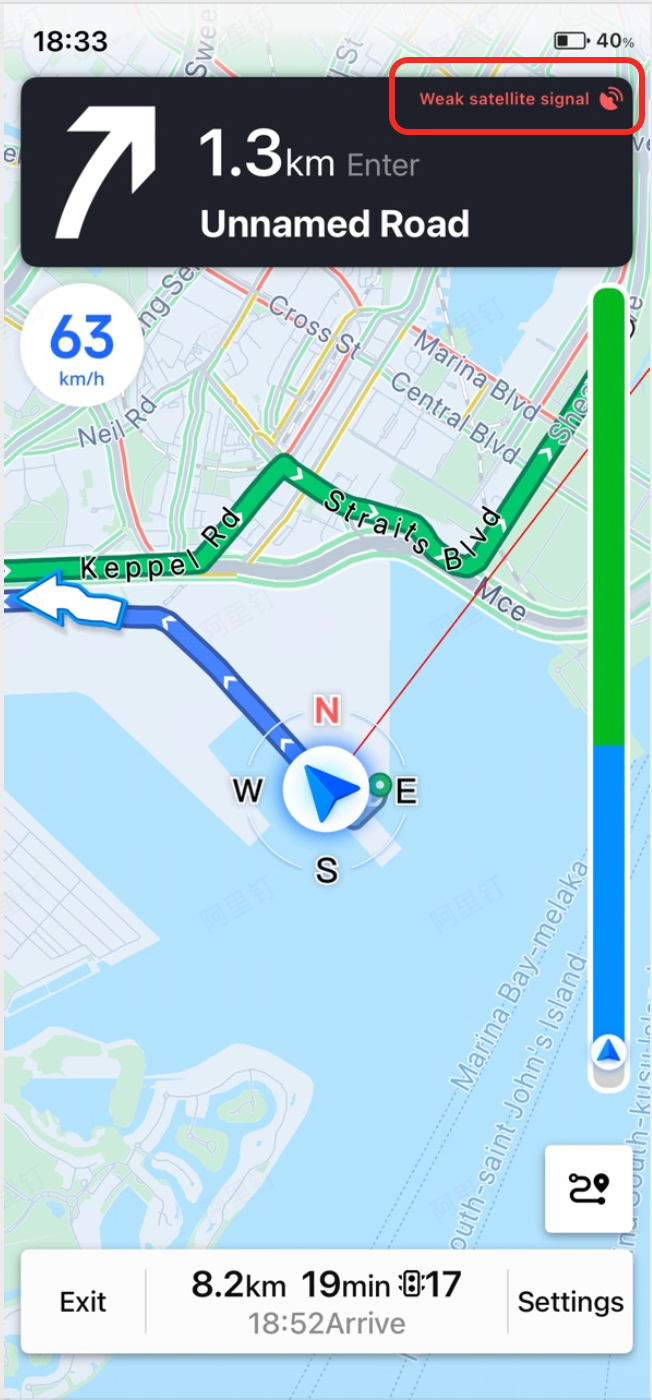
For example, AMapNaviDriveView listens to this callback and displays the following indicators:

In addition to the callback above, when the GPS signal is weak, the navigation SDK also plays a voice prompt: "The current phone GPS signal is weak, position updates may be delayed" to alert the user.