
Custom Overlays
The AMAPNavi SDK allows you to customize the visual elements displayed on the navigation map, including both map-based elements and UI controls. This applies to AMapNaviDriveView, AMapNaviWalkView, and AMapNaviRideView, enabling you to create a navigation interface that matches your app's style and business requirements. The following examples use AMapNaviDriveView.
AMapNaviDriveView consists of two layers:
- Map element layer (bottom): The SDK draws elements on the map based on route information, including the vehicle icon, start and end points, traffic routes, turn arrows, cameras, vector lines, and traffic lights.
- Widget layer (top): UI control elements such as junction views, light bars, overview buttons, and settings buttons.
This guide covers customization of map elements. See also:
Turn Arrows
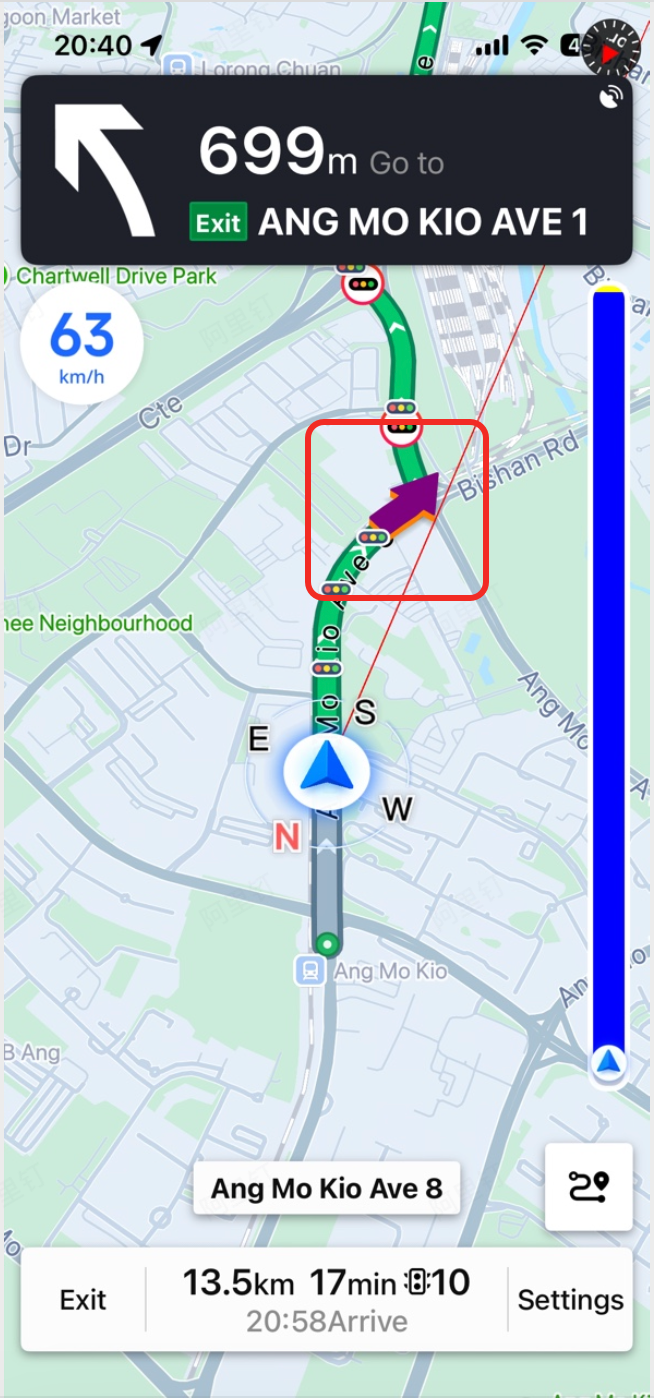
The SDK provides powerful customization interfaces for turn arrows on the route. You can control their visibility, color, width, and 3D effect.
/// Whether to show turn arrows on the route. Default: YES.
@property (nonatomic, assign) BOOL showTurnArrow;

/// Color of turn arrows on the route. Available since 6.1.0.
@property (nonatomic, strong) UIColor *turnArrowColor;

/// Width of turn arrows on the route. Set to 0 to restore the default width. Available since 6.2.0.
@property (nonatomic, assign) CGFloat turnArrowWidth;

/// Whether turn arrows use 3D rendering. Default: YES. Available since 6.6.0.
@property (nonatomic, assign) BOOL turnArrowIs3D;

/// Side color for 3D turn arrows. Only effective when turnArrowIs3D is YES. Available since 6.6.0.
@property (nonatomic, strong) UIColor *turnArrowSideColor;
Cameras
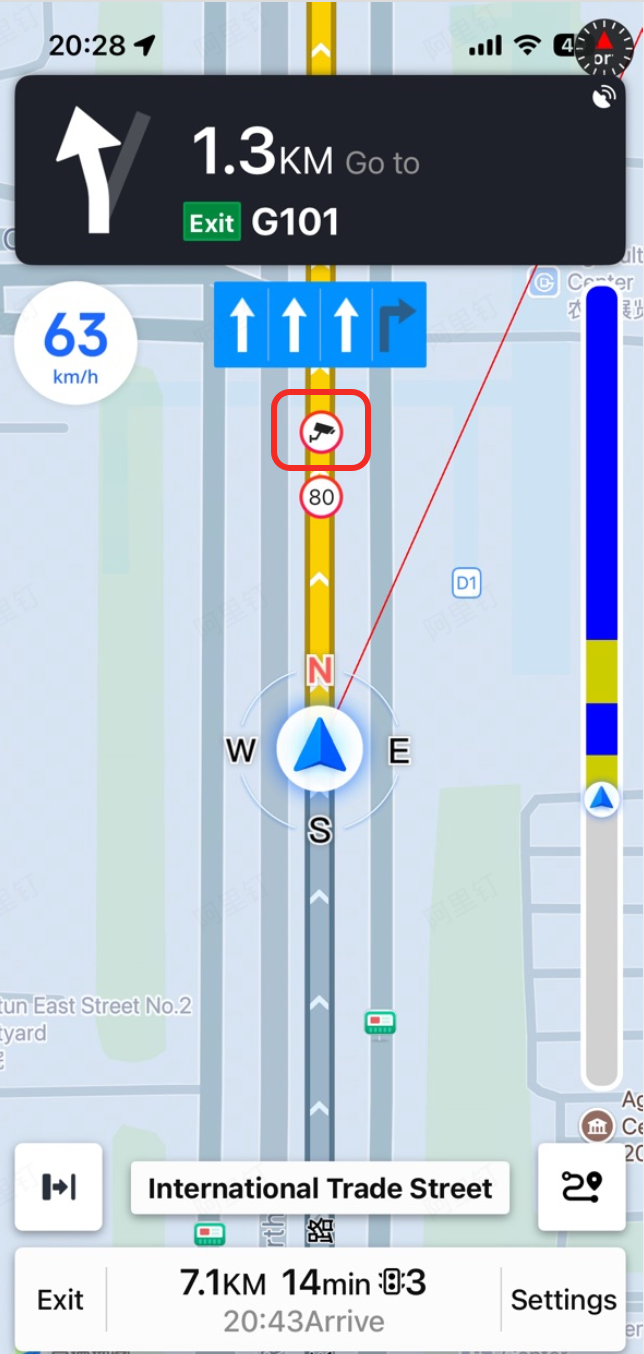
In addition to customizing camera icon textures (see Custom Annotations - Cameras), you can control the visibility of camera icons on the route. This affects both the on-route icons and the pop-up bubble icons.
/// Whether to show camera icons on the route. Default: YES.
@property (nonatomic, assign) BOOL showCamera;
Vector Line
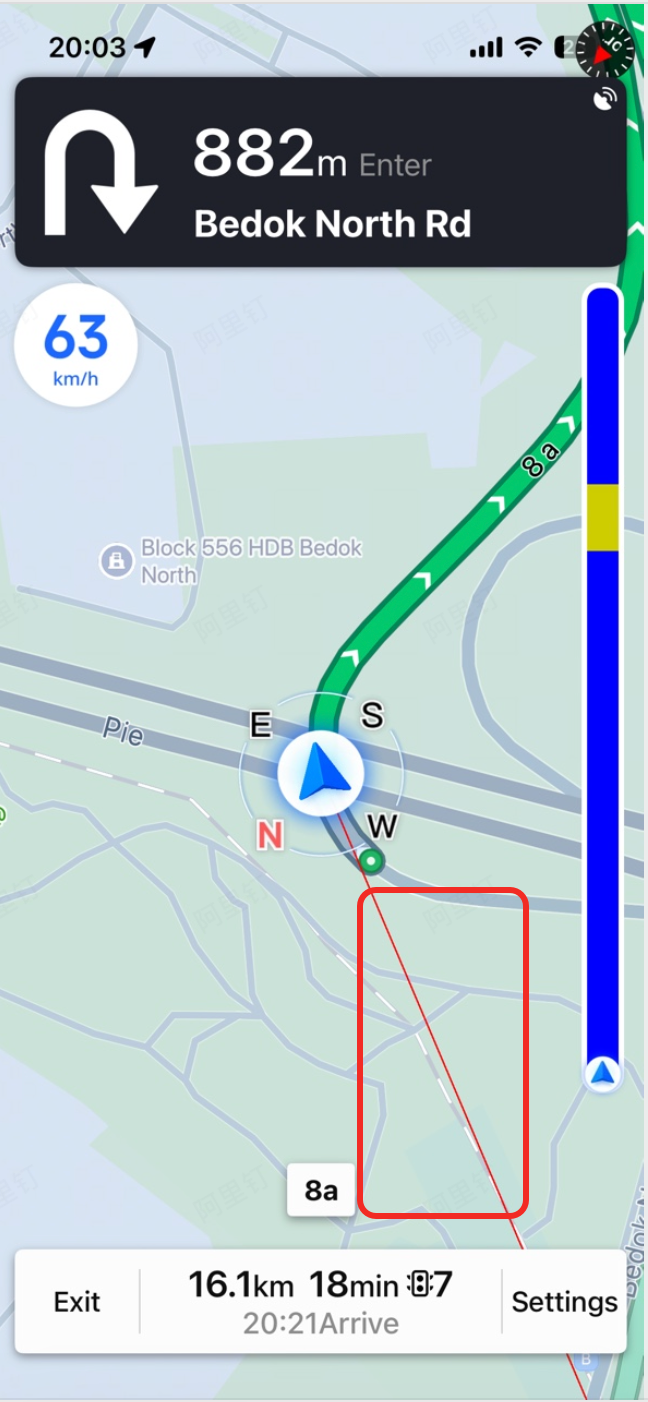
The vector line is the animated line drawn from the start point to the end point. You can control its visibility using the following interface.
/// Whether to show the vector line. Default: YES. Available since 6.2.0.
@property (nonatomic, assign) BOOL showVectorline;
Traffic Lights
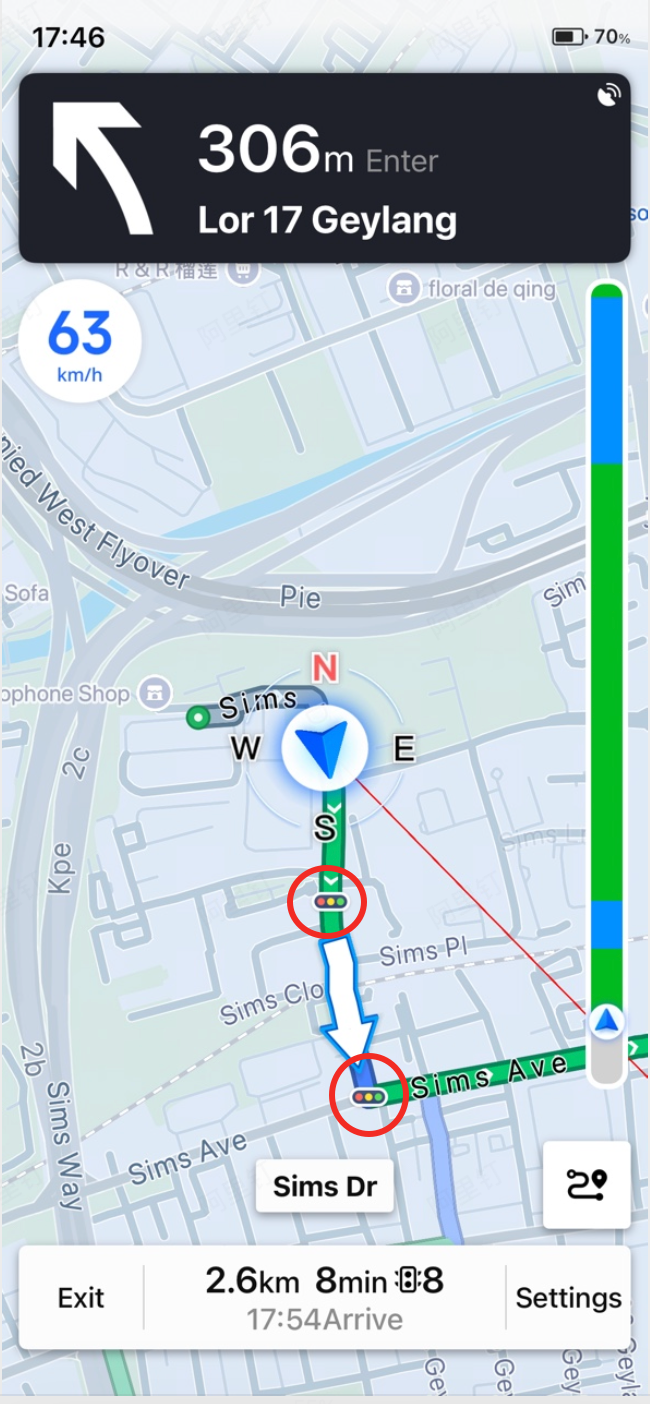
You can control the visibility of traffic light icons on the route.
/// Whether to show traffic light icons. Default: YES. Available since 6.2.0.
@property (nonatomic, assign) BOOL showTrafficLights;