
Advanced Features
The AMapNaviCompositeUserConfig configuration class provides a wide range of options for customizing the navigation component. In addition to the basic features described inSetting the Start and End Points and Vehicle Information, the following settings are also available.
Logic-Related Configuration
Start Navigation Directly
Sets whether the navigation component should skip the route planning page and enter the navigation interface directly upon launch, performing route calculation and starting navigation automatically.
Note: If set to YES, a valid destination must be provided to ensure successful route calculation; otherwise, an error will occur.
/**
 * @brief Sets whether the navigation component should enter the navigation interface directly (skipping the route planning page) for route calculation and automatic navigation start. since 5.3.0
 * @param directly Whether to enter the navigation interface directly. Default is NO.
 * @note If YES, a valid destination must be set to ensure successful route calculation; otherwise, an error will be reported.
 */
- (void)setStartNaviDirectly:(BOOL)directly;
Destroy Drive Manager on Dismiss
Sets whether to call [AMapNaviDriveManager destroyInstance] to attempt to destroy the AMapNaviDriveManager singleton when the navigation component interface is dismissed.
The AMapNaviDriveManager is a singleton used by the navigation component for route planning and navigation. Developers can also use this singleton to listen for events and data. If set to NO, the component will not stop navigation or destroy the singleton when dismissed, allowing the current navigation session to continue. This is commonly used in driver-passenger co-display scenarios.
/**
 * @brief Sets whether to call [AMapNaviDriveManager destroyInstance] to attempt to destroy the AMapNaviDriveManager singleton when the navigation component interface is dismissed. since 5.4.0
 * @param need Whether to attempt to destroy the AMapNaviDriveManager singleton. Default is YES.
 */
- (void)setNeedDestoryDriveManagerInstanceWhenDismiss:(BOOL)need;
Calculate Route on Present
Sets whether the navigation component should perform route calculation when it launches. This setting only takes effect when -setStartNaviDirectly: is set to YES.
This is typically used when you have already planned a route using AMapNaviDriveManager and want to use that existing route for navigation, effectively using only the navigation interface's visual capabilities.
/**
 * @brief Sets whether route calculation is required when the navigation component launches. This setting only takes effect when setStartNaviDirectly is set to YES. since 5.4.0
 * @param need Whether route calculation is required. Default is YES. If NO, the navigation component will not perform route calculation and will directly use the route already planned by the AMapNaviDriveManager singleton.
 */
- (void)setNeedCalculateRouteWhenPresent:(BOOL)need;
Show Confirmation on Exit
Sets whether to display a confirmation alert view ("Confirm exit navigation") when exiting real-time navigation.
/**
 * @brief Sets whether to display a "Confirm exit navigation" alert view when exiting real-time navigation. since 5.5.0
 * @param need Whether to display the "Confirm exit navigation" alert view. Default is YES.
 */
- (void)setNeedShowConfirmViewWhenStopGPSNavi:(BOOL)need;
Driving Strategy
Sets the driving route planning strategy. If set, it will clear any previously selected value. If not set, the previously selected value will be used. If no previous selection exists, the default value AMapNaviDrivingStrategyMultipleDefault will be used.
/**
 * @brief Sets the driving route planning strategy. Note: If set, it will clear any previously selected value. If not set, the previously selected value will be used. If no previous selection exists, AMapNaviDrivingStrategyMultipleDefault will be used. since 6.1.0
 * @param driveStrategy Refer to AMapNaviDrivingStrategy.
 */
- (void)setDriveStrategy:(AMapNaviDrivingStrategy)driveStrategy;
Multi-Route Navigation Mode
Sets the multi-route navigation mode (where multiple alternative routes are available for the user to choose from during real-time navigation, which is the default mode) or single-route navigation mode. For more information, see Multi-Route Navigation.
Note:
1. The set navigation mode will take effect on the next active route calculation.
2. Multi-route navigation mode requires all four of the following conditions to be met:
- The AMapNaviDrivingStrategy must use a multi-route strategy during route calculation.
- The straight-line distance between the start and end points must be ≤ 80 km.
- No waypoints are allowed.
- The vehicle must not be a truck type.
/**
 * @brief Sets multi-route navigation mode (multiple alternative routes available during real-time navigation, default mode) or single-route navigation mode. Note: 1. The set navigation mode will take effect on the next active route calculation. 2. Multi-route navigation mode requires all four conditions to be met: a. AMapNaviDrivingStrategy must use a multi-route strategy; b. Straight-line distance between start and end points must be ≤ 80 km; c. No waypoints; d. Vehicle must not be a truck type. since 6.3.0
 * @param multipleRouteNaviMode YES: Multi-route navigation mode, NO: Single-route navigation mode. Default is YES.
 */
- (void)setMultipleRouteNaviMode:(BOOL)multipleRouteNaviMode;
Presenter ViewController
Sets a UIViewController that the SDK will use to present the navigation component.
/**
 * @brief Sets a ViewController that the SDK will use to present the navigation component. since 7.2.0
 * @param presenterViewController The ViewController used by the SDK to present the navigation component.
 */
- (void)setPresenterViewController:(UIViewController *_Nonnull)presenterViewController;
UI-Related Configuration
The AMapNaviCompositeUserConfig class provides the following UI configuration options.
Theme Type
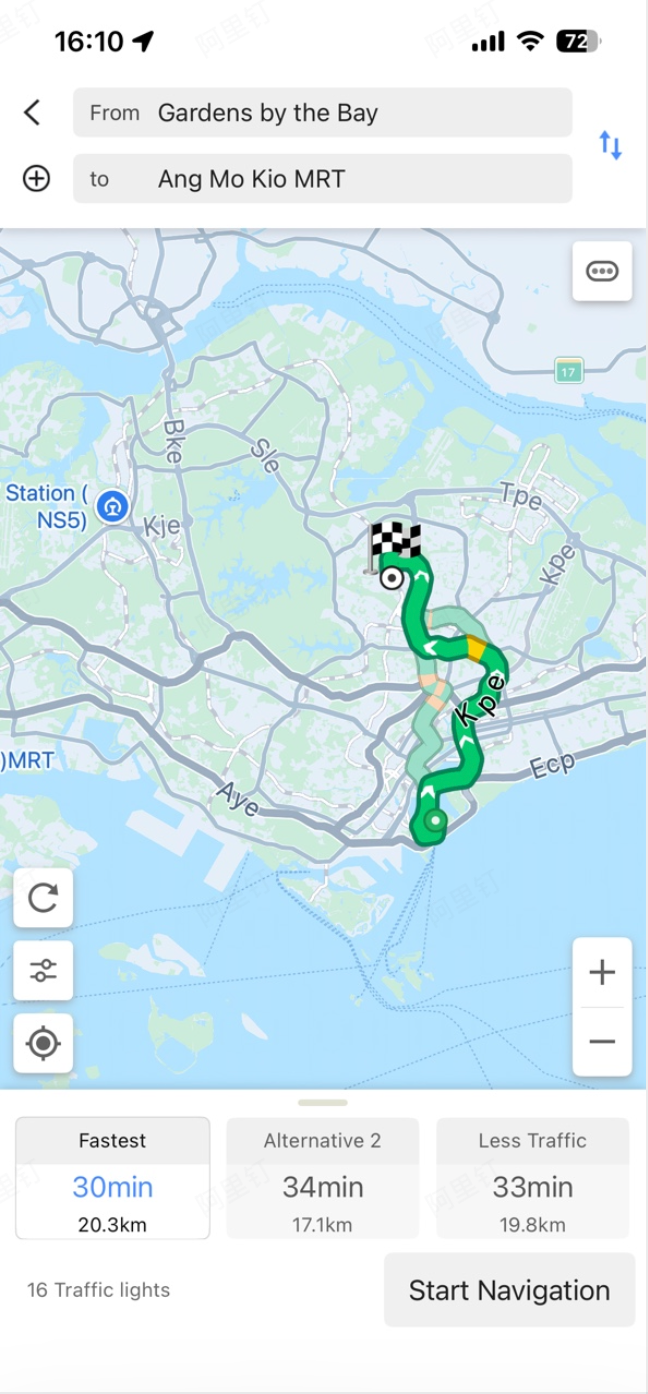
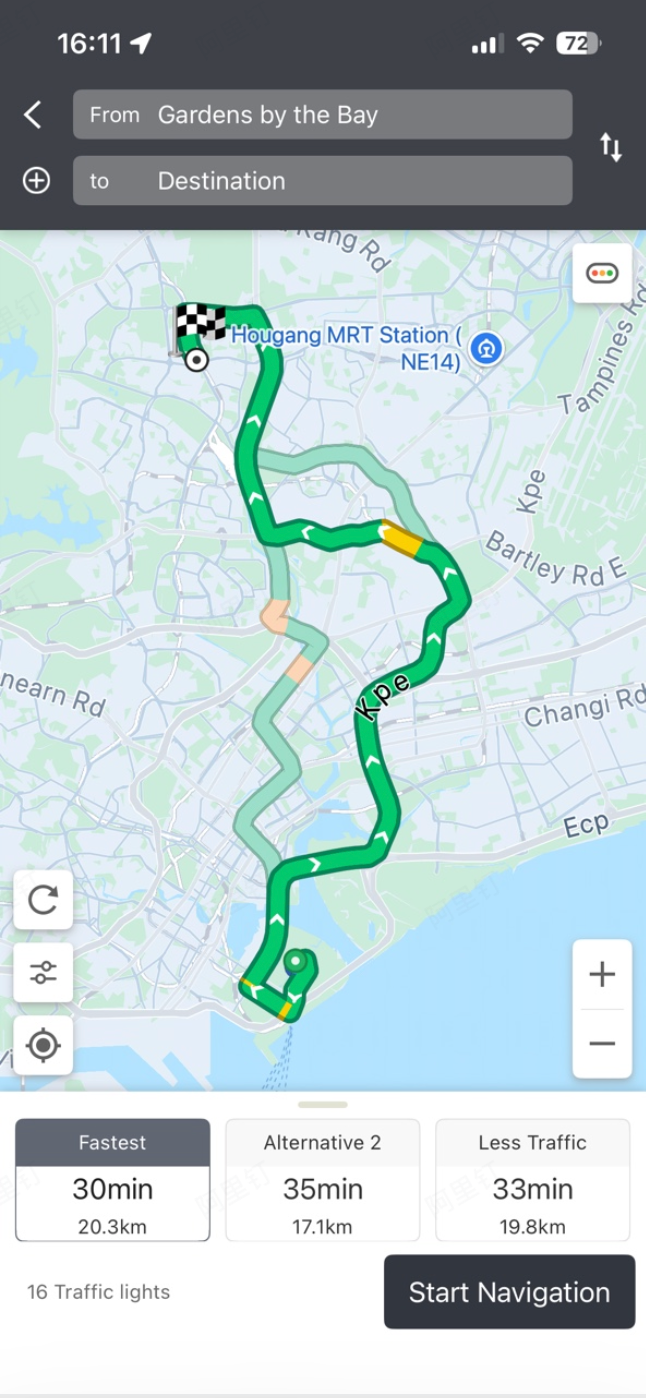
The navigation component offers three theme skin types. The interface and visual examples are shown below.
/**
 * @brief Sets the theme skin type for the navigation component. since 5.4.0
 * @param themeType The theme skin type. Default is AMapNaviCompositeThemeTypeDefault (blue). Refer to AMapNaviCompositeThemeType.
 */
- (void)setThemeType:(AMapNaviCompositeThemeType)themeType;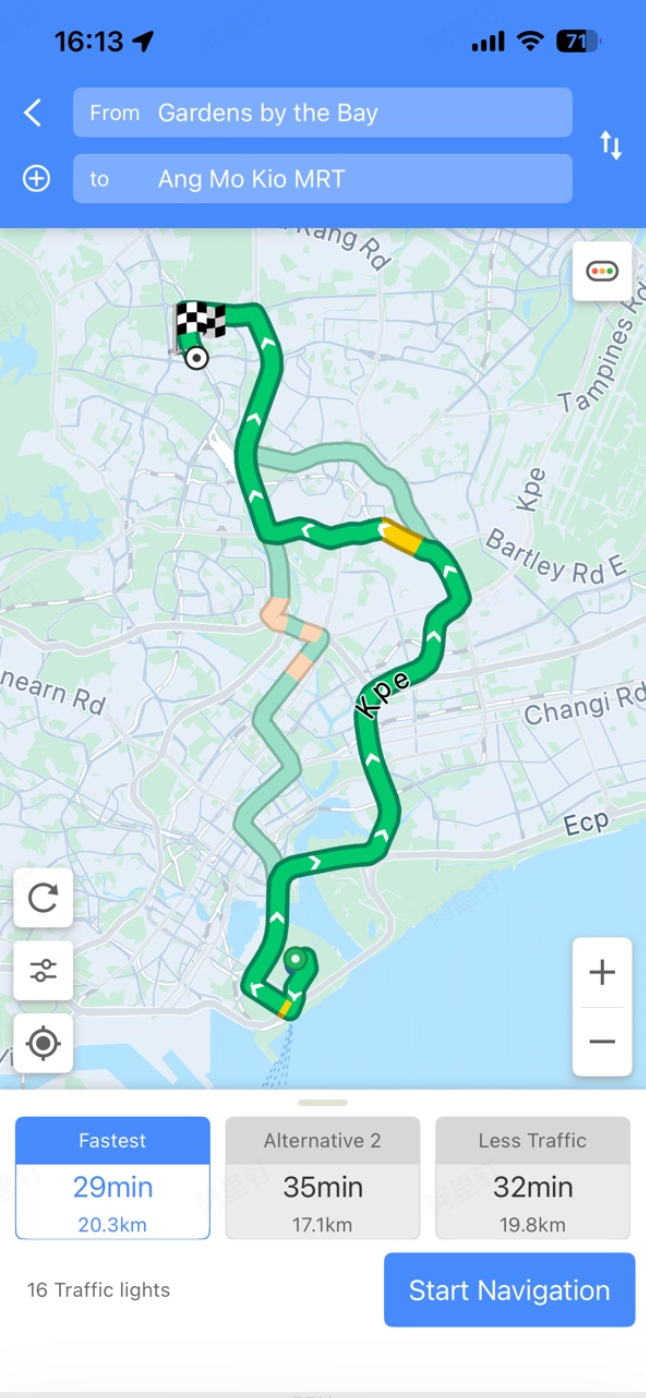
Custom Views
The navigation component's navigation interface provides three locations where you can add custom views.
Bottom Area Custom View
This custom view is displayed in the bottom area of the interface. The container view has a width of (screen width - 133) and a height of 46.
/**
 * @brief Sets a custom view for the driving navigation interface. This view will be displayed in the bottom area of the interface. The container view width is (screen width - 133), height is 46. since 6.1.0
 * @param customView The custom view to be displayed in the bottom area.
 */
- (void)addCustomViewToNaviDriveView:(UIView *_Nonnull)customView;
Preview

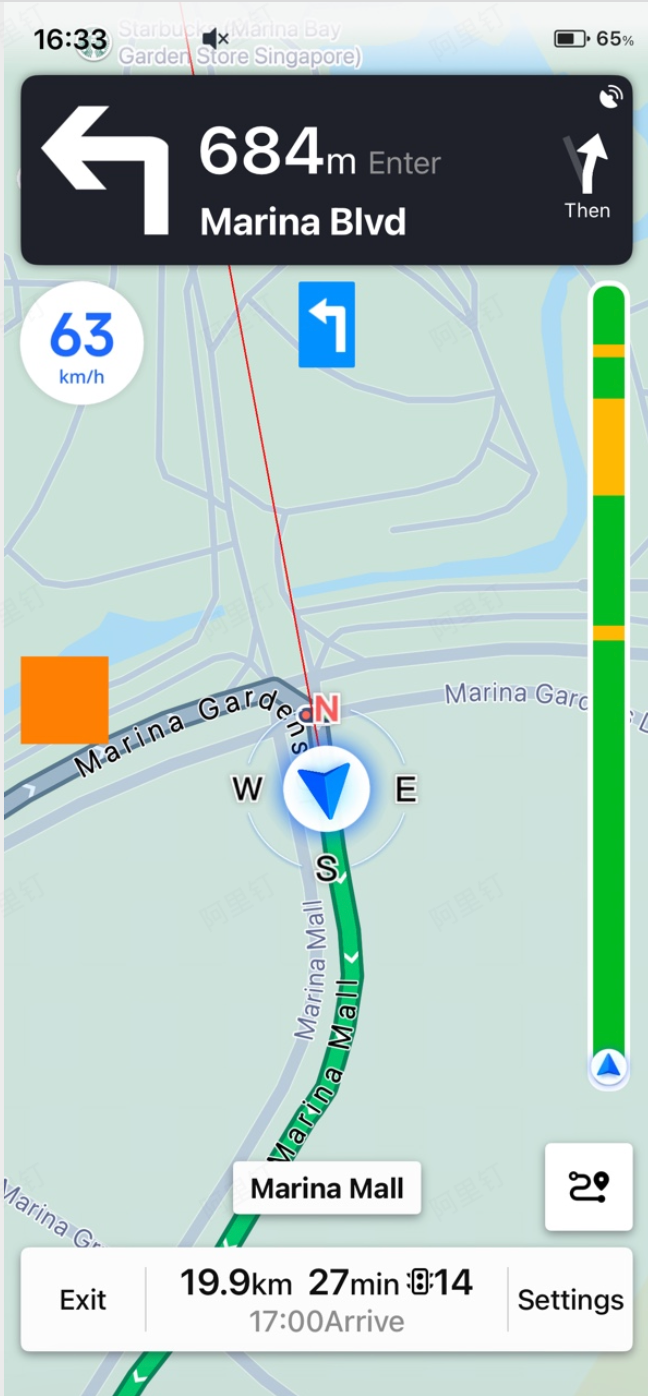
Left Side Custom View
This custom view has a width of 63 and a height of 53, and is displayed in the left edge vertical center area of the interface.
/**
 * @brief Sets a custom view on the left side of the driving navigation interface. This view has a width of 63 and a height of 53, and will be displayed in the left edge vertical center area of the interface. since 6.9.0
 * @param customView The custom view to be displayed.
 */
- (void)addLeftCustomViewToNaviDriveView:(UIView *_Nonnull)customView;
Preview
Bottom Extended Area Custom View
This custom view is displayed below the bottom area of the interface. The container view has a width equal to the screen width and a maximum height of 200.
Note: Setting this custom view will automatically disable landscape mode for the navigation interface.
/**
 * @brief Sets a custom view for the driving navigation interface. This view will be displayed below the bottom area of the interface. The container view width is the screen width, maximum height is 200. Note: Setting this custom view will automatically disable landscape mode for the navigation interface. since 6.1.0
 * @param customBottomView The custom view to be displayed below the bottom area.
 * @return Whether the setup was successful (returns NO if the height exceeds 200).
 */
- (BOOL)addCustomBottomViewToNaviDriveView:(UIView *_Nonnull)customBottomView;
Preview
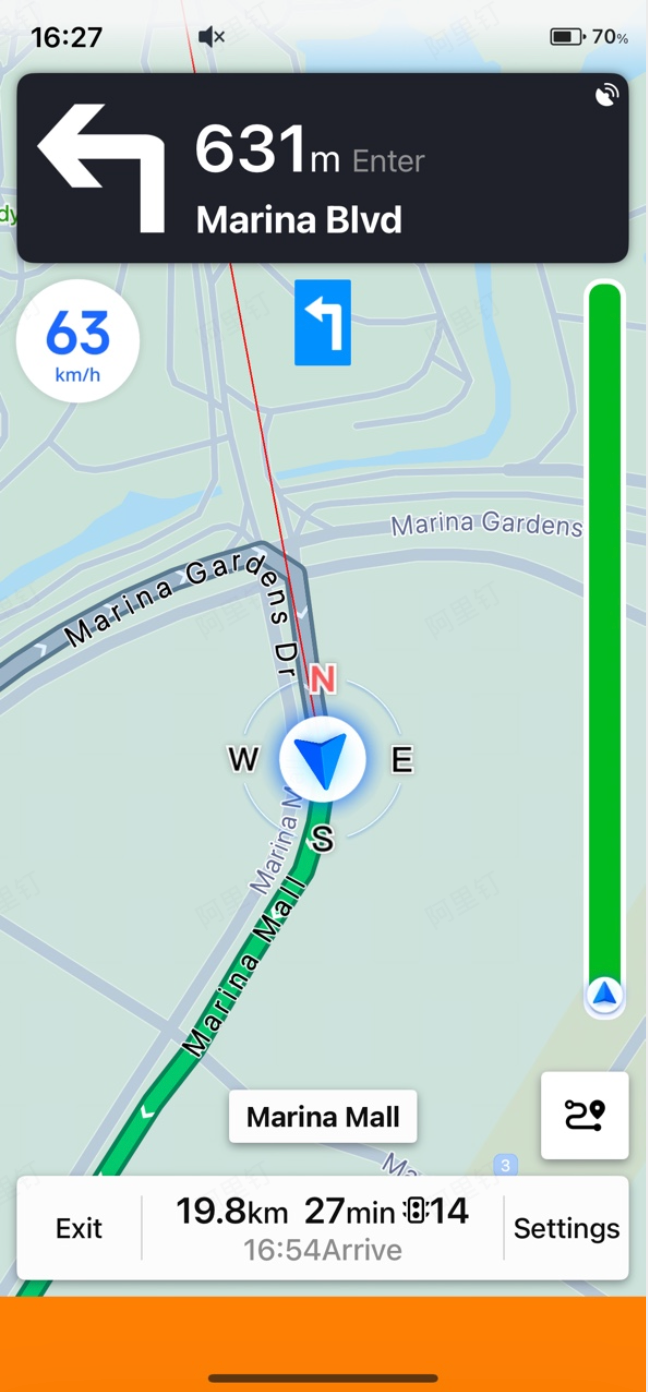
Show Junction View
Sets whether to display the junction view (intersection enlargement image). For more information, see Real-time Navigation Data - Junction View.
/**
 * @brief Sets whether to display the junction view (intersection enlargement image) during driving navigation. since 6.1.0
 * @param need Whether to display the junction view. Default is YES.
 */
- (void)setShowCrossImage:(BOOL)need;
Map Display Configuration
The AMapNaviCompositeUserConfig class provides the following map display configuration options.
Remove Route and Traction Line on Arrival
Sets whether to remove the route and traction line after arriving at the destination. For more information about traction lines, see Customizing Other Map Elements - Traction Line.
/**
 * @brief Sets whether to remove the route and traction line after arriving at the destination in the driving navigation interface. since 5.5.0
 * @param need Whether to remove the route and traction line. Default is NO.
 */
- (void)setRemovePolylineAndVectorlineWhenArrivedDestination:(BOOL)need;
Show Real-Time Traffic
Sets whether to display real-time traffic conditions on the map.
/**
 * @brief Sets whether the map displays real-time traffic conditions. since 6.6.0
 * @param need Whether to display real-time traffic. Default is YES.
 */
- (void)setMapShowTraffic:(BOOL)need;
Day/Night Mode
Sets the day/night mode for the map. For more information, see Other Customization - Day/Night Mode.
/**
 * @brief Sets the day/night mode for the navigation interface map. since 7.1.0
 * @param type Refer to AMapNaviViewMapModeType. Default is AMapNaviViewMapModeTypeDayNightAuto (auto switch mode).
 */
- (void)setMapViewModeType:(AMapNaviViewMapModeType)type;
Tracking Mode
Sets the tracking mode for the navigation interface. For more information, see Display Mode and Tracking Mode - Tracking Mode.
/**
 * @brief Sets the tracking mode for the navigation interface. since 7.1.0
 * @param mode Refer to AMapNaviViewTrackingMode. Default is AMapNaviViewTrackingModeCarNorth (vehicle heading up).
 */
- (void)setTrackingMode:(AMapNaviViewTrackingMode)mode;
Smart Zoom
Enables or disables the smart zoom feature. For more information, see Other Customization - Smart Zoom.
/**
 * @brief Sets the smart scale zoom. since 7.1.0
 * @param autoZoomMapLevel Whether to automatically zoom the map in vehicle-locked mode to anticipate the next navigation action. Default is YES.
 */
- (void)setAutoZoomMapLevel:(BOOL)autoZoomMapLevel;
Adding Custom Annotations and Overlays
Like AMapNaviDriveView, the navigation component provides methods for adding custom annotations and overlays. For more information, see Adding Custom Annotations and Overlays. For a practical example, refer to the Official Demo - Adding Custom Overlays to the Navigation Component.
/**
 * @brief Adds a custom annotation to the driving navigation interface. Note: Annotations will be cleared each time you exit navigation. since 5.5.0
 * @param annotation Will be displayed on the map in the driving navigation interface. Refer to AMapNaviCompositeCustomAnnotation.
 */
- (void)addAnnotation:(AMapNaviCompositeCustomAnnotation *_Nonnull)annotation;

/**
 * @brief Removes a custom annotation from the driving navigation interface. since 5.5.0
 * @param annotation Refer to AMapNaviCompositeCustomAnnotation.
 */
- (void)removeAnnotation:(AMapNaviCompositeCustomAnnotation *_Nonnull)annotation;

/**
 * @brief Adds a custom overlay to the driving navigation interface. Note: Overlays will be cleared each time you exit navigation. since 6.7.0
 * @param customOverlay Will be displayed on the map in the driving navigation interface. The object must conform to the AMapNaviCompositeOverlay protocol, otherwise it will be invalid. Refer to the official Demo class CustomOverlayCompositeViewController.
 */
- (void)addCustomOverlay:(id <AMapNaviCompositeOverlay>_Nonnull)customOverlay;

/**
 * @brief Removes a custom overlay from the driving navigation interface. since 6.7.0
 * @param customOverlay Refer to AMapNaviCompositeOverlay.
 */
- (void)removeCustomOverlay:(id <AMapNaviCompositeOverlay>_Nonnull)customOverlay;