
Custom Markers
The AMapNavi SDK allows you to customize the visual elements of the navigation interface, including map overlays and UI controls. This applies to AMapNaviDriveView, AMapNaviWalkView, and AMapNaviRideView. The following examples use AMapNaviDriveView.
The AMapNaviDriveView consists of two layers:
- Map overlay layer (bottom): The SDK draws elements on the map based on route information, such as the vehicle marker, start/end points, traffic routes, turn arrows, cameras, guide lines, and traffic lights.
- Widget layer (top): UI control elements such as junction views, traffic bars, overview buttons, and settings buttons.
This guide covers customization of common markers. For other customizations, see:
Vehicle Marker
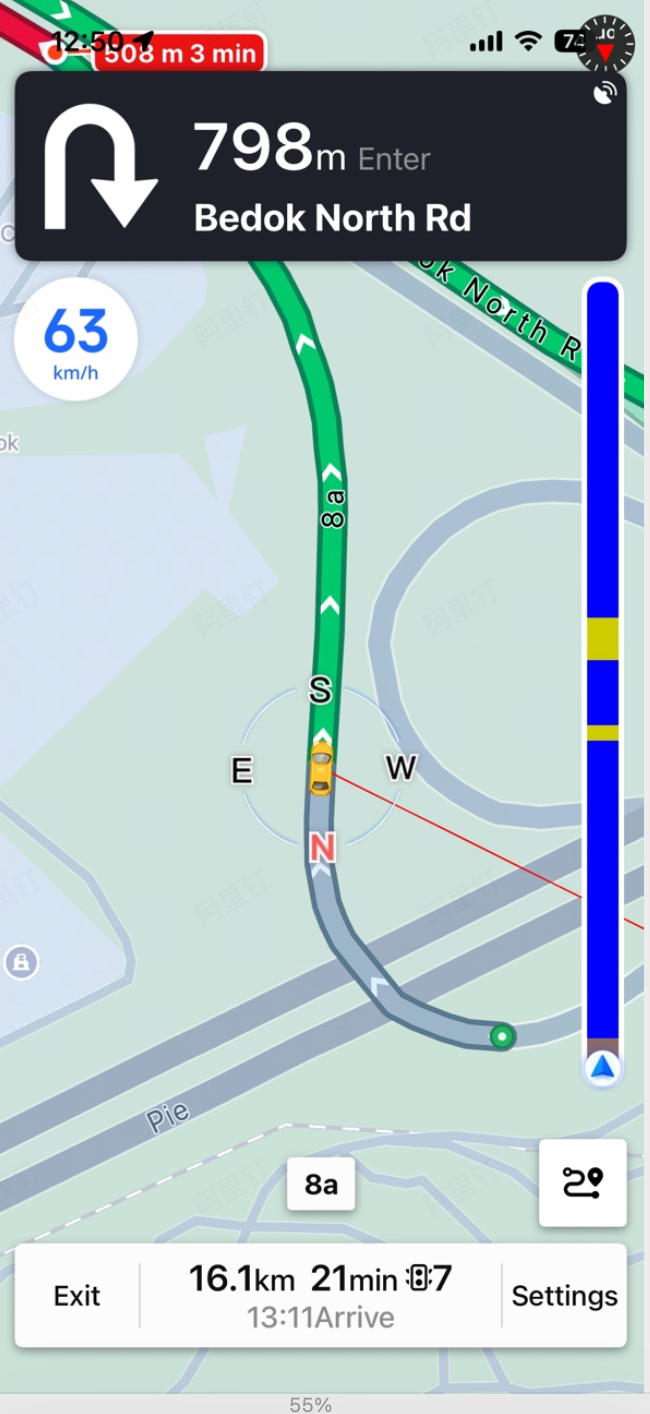
The vehicle marker in the driving navigation interface consists of two parts: a blue arrow icon and a compass icon. You can customize each independently by providing a UIImage object. To revert to the default icon, pass nil. Use the following methods to set the icons. Updates take effect dynamically during navigation.
/**
 * @brief Sets the vehicle icon.
 * @param carImage The vehicle icon. Set to nil for the default icon.
 */
- (void)setCarImage:(nullable UIImage *)carImage;

/**
 * @brief Sets the vehicle compass icon.
 * @param carCompassImage The vehicle compass icon. Set to nil for the default icon.
 */
- (void)setCarCompassImage:(nullable UIImage *)carCompassImage;
Start, End, and Waypoints
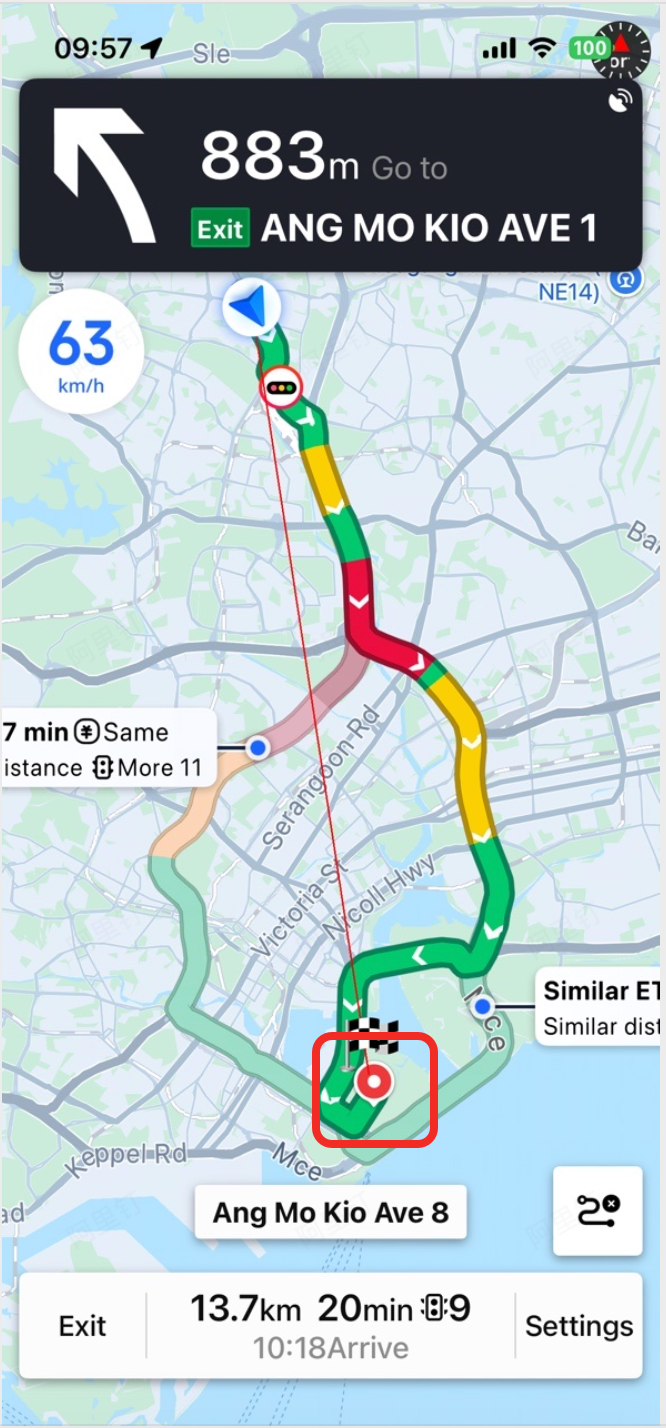
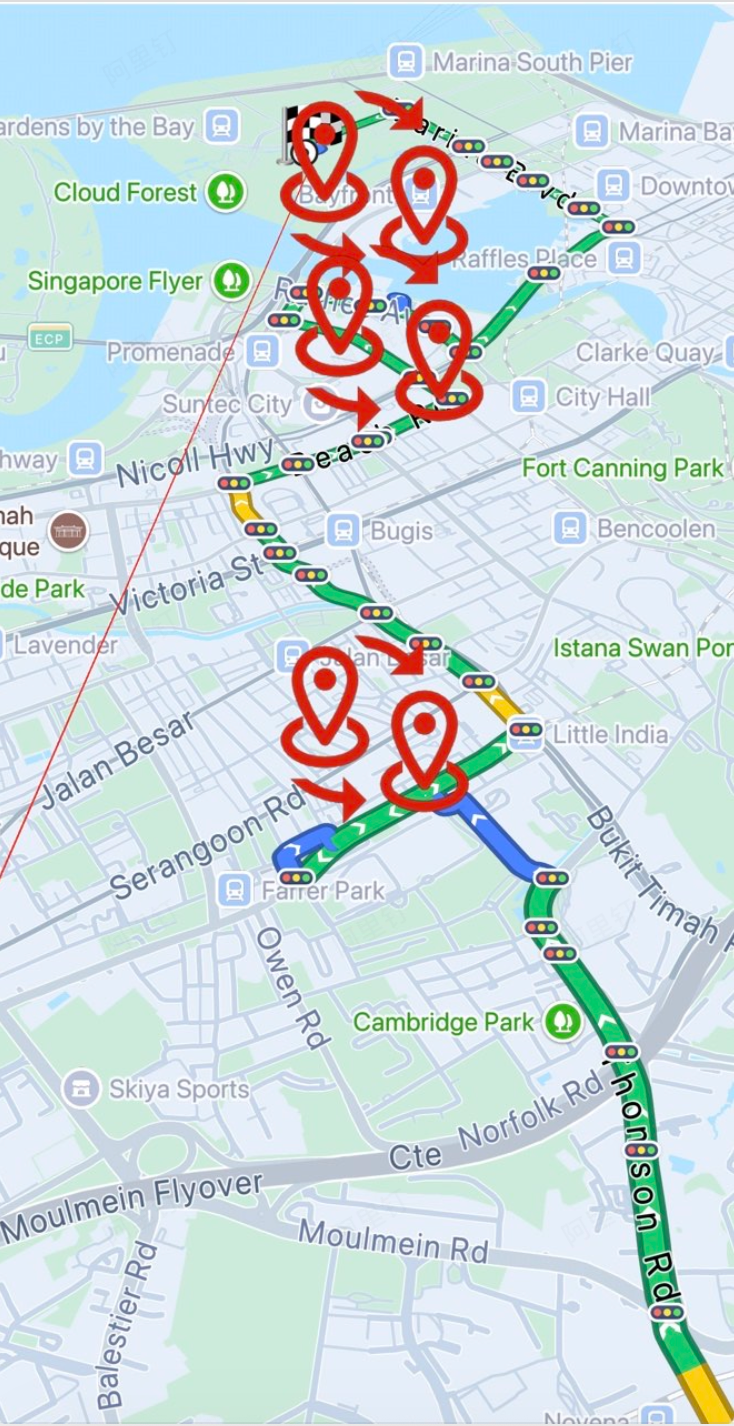
You can customize the icons for the start point, end point, and waypoints in the driving navigation interface. Provide a UIImage object for each. To revert to the default icon, pass nil. Use the following methods to set the icons. Updates take effect dynamically during navigation.
/**
 * @brief Sets the start point icon.
 * @param startPointImage The start point icon. Set to nil for the default icon.
 */
- (void)setStartPointImage:(nullable UIImage *)startPointImage;

/**
 * @brief Sets the waypoint icon.
 * @param wayPointImage The waypoint icon. Set to nil for the default icon.
 */
- (void)setWayPointImage:(nullable UIImage *)wayPointImage;

/**
 * @brief Sets the end point icon.
 * @param endPointImage The end point icon. Set to nil for the default icon.
 */
- (void)setEndPointImage:(nullable UIImage *)endPointImage;
Camera Icons
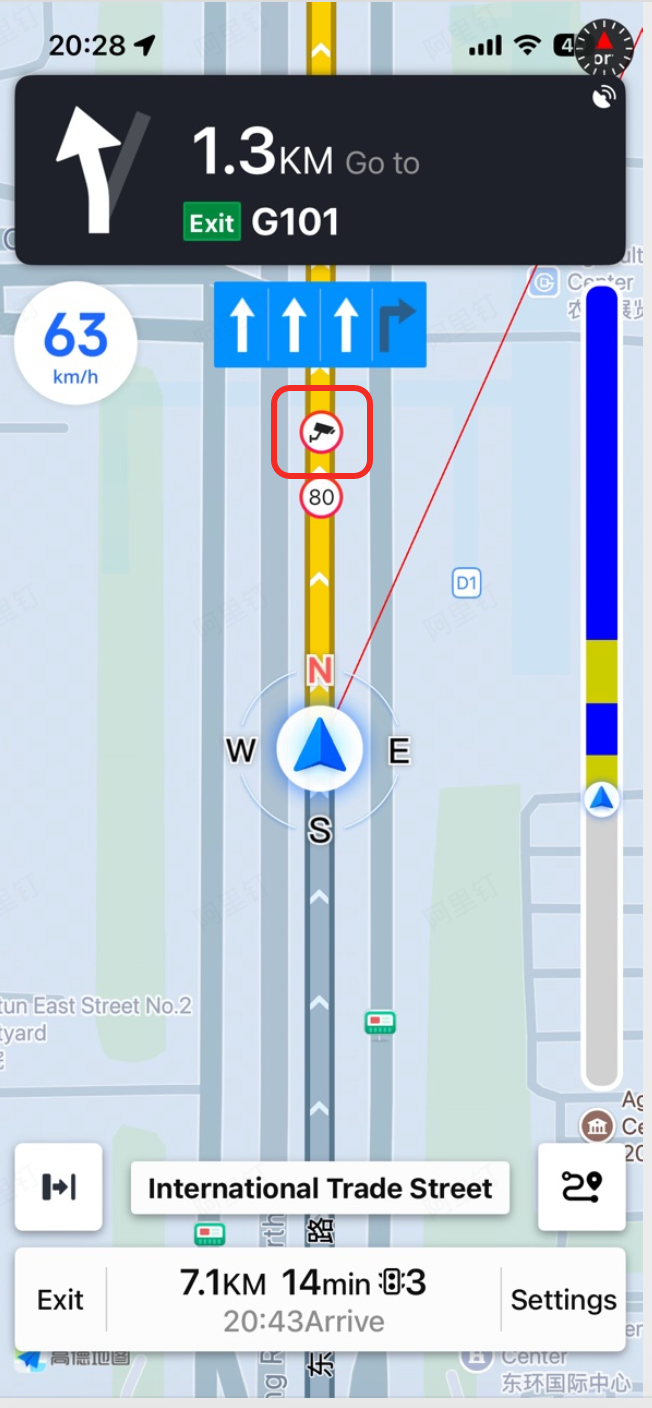
You can customize the camera icon in the driving navigation interface. Note that this refers to the icon inside the red circle in the image above, not the pop-up bubble icon. Provide a UIImage object. To revert to the default icon, pass nil. Use the following method to set the icon. Updates take effect dynamically during navigation.
/**
 * @brief Sets the camera icon.
 * @param cameraImage The camera icon. Set to nil for the default icon.
 */
- (void)setCameraImage:(nullable UIImage *)cameraImage;