
Geocoding
Geocoding (Address to Coordinates)
Overview
Geocoding, also known as address matching, converts a structured address into geographic coordinates (latitude and longitude). This is useful for confirming a user's location based on an entered address, such as when a delivery driver needs to find a specific location.
A structured address is a string that contains hierarchical location information, from larger administrative divisions to smaller ones: country, province, city, town, village, street, street number, building, or estate name. A valid address must be unique.
Note: For addresses in mainland China, Hong Kong, and Macau, the country information can be omitted. However, province, city, and town-level information is required.
Important: This feature can return some POI (Point of Interest) data, but its primary purpose is to convert structured addresses to coordinates.
- POI keyword search finds real-world locations (POIs) by keyword.
- Geocoding matches the input address against a standardized address structure (province/city/district or county/township/village or community/business district/street/street number/POI) at each level to determine the corresponding geographic coordinates. Only when the matched level is POI does the result correspond to a specific real-world location.
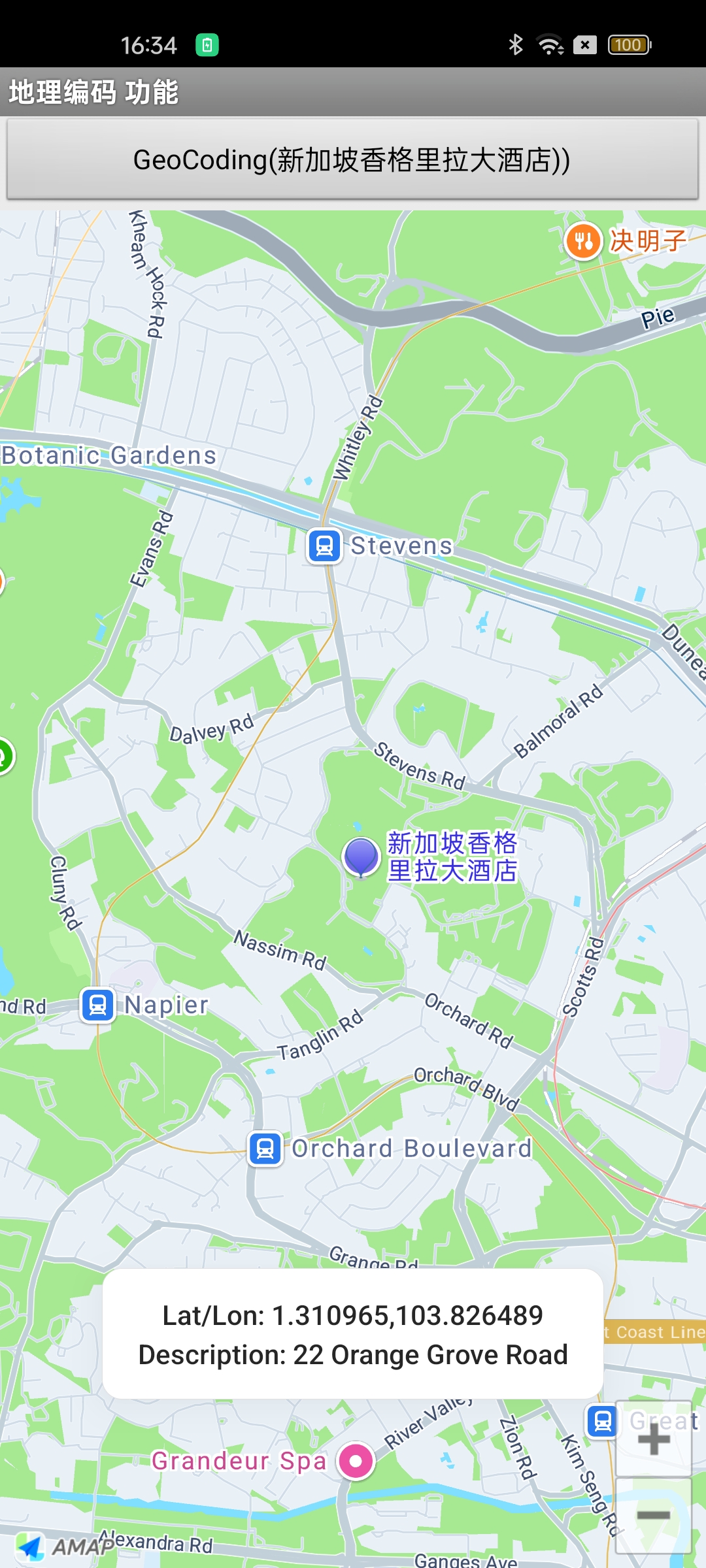
The following image shows the expected result:
Implementation Steps
Step 1: Implement the `OnGeocodeSearchListener` interface
Step 2: Create a `GeocodeSearch` object and set the listener
geocoderSearch = new GeocodeSearch(this);
geocoderSearch.setOnGeocodeSearchListener(this);
Step 3: Set query parameters and make the request
Use GeocodeQuery(String locationName, String city) to set the query parameters, then call GeocodeSearch.getFromLocationNameAsyn(GeocodeQuery) to initiate the request.
// name: the address to search for
// city: the city (Chinese name, pinyin, city code, or adcode)
GeocodeQuery query = new GeocodeQuery(name, "010");
geocoderSearch.getFromLocationNameAsyn(query);
Step 4: Handle the response in the callback
Implement the onGeocodeSearched callback to parse the result.
Notes:
- Parse the result object in the callback to retrieve the coordinate information.
- The rCode parameter indicates success or failure. 1000 means success; any other value indicates failure. For details, see the error code reference table.
@Override
public void onGeocodeSearched(GeocodeResult result, int rCode) {
    // Parse the result to get coordinate information
}
Reverse Geocoding (Coordinates to Address)
Overview
Reverse geocoding, also known as address resolution, converts geographic coordinates (latitude and longitude) into a detailed address description, including administrative divisions, streets, floor numbers, and room numbers. This is commonly used to obtain location details from positioning coordinates, making it an ideal companion to the positioning feature.
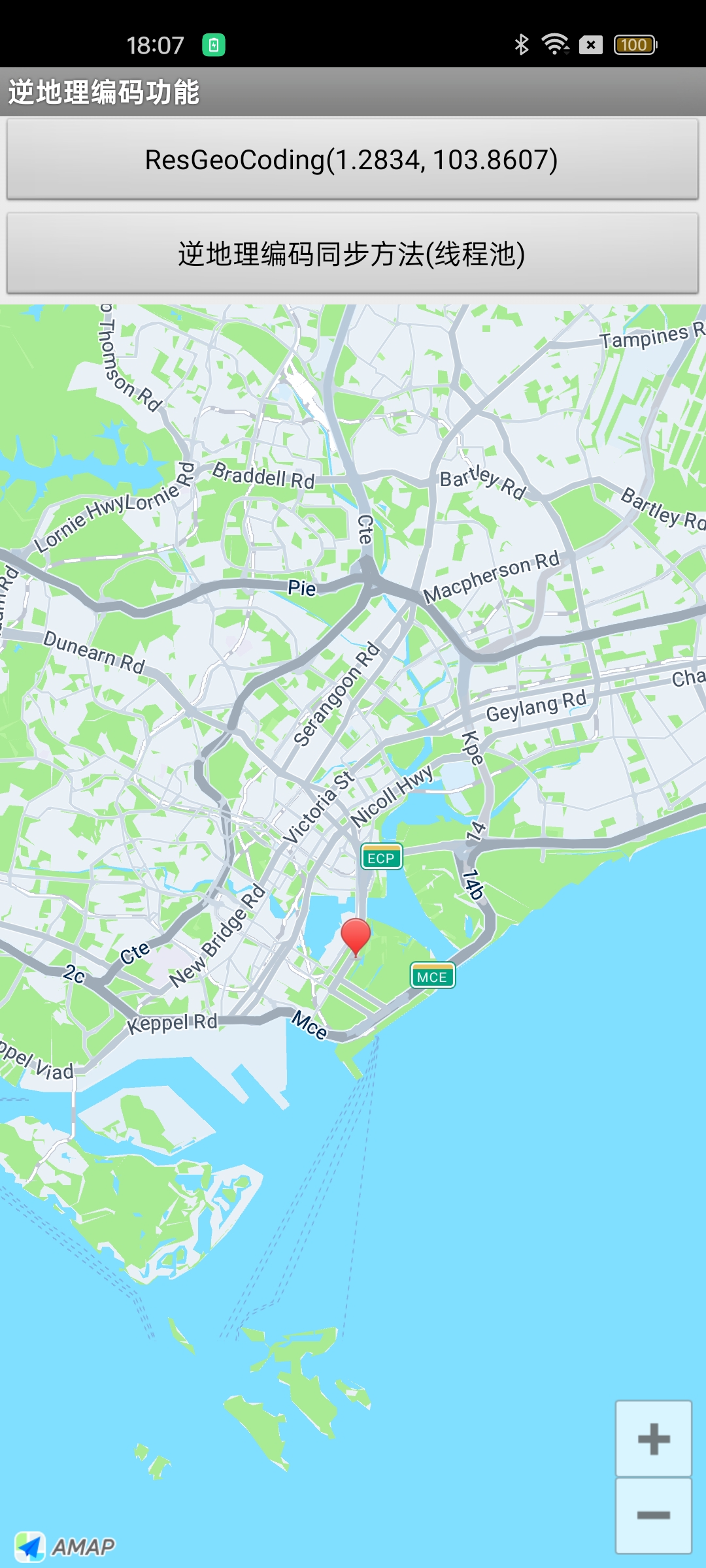
The following image shows the expected result:
Implementation Steps
Step 1: Implement the `OnGeocodeSearchListener` interface
Step 2: Create a `GeocodeSearch` object and set the listener
geocoderSearch = new GeocodeSearch(this);
geocoderSearch.setOnGeocodeSearchListener(this);
Step 3: Set query parameters and make the request
Use RegeocodeQuery(LatLonPoint point, float radius, String latLonType) to set the query parameters, then call GeocodeSearch.getFromLocationAsyn(RegeocodeQuery) to initiate the request.
// point: the coordinates to search for
// radius: the search radius in meters
// latLonType: the coordinate system (AMAP for GCJ-02, GPS for WGS-84)
RegeocodeQuery query = new RegeocodeQuery(latLonPoint, 200, GeocodeSearch.AMAP);
geocoderSearch.getFromLocationAsyn(query);
Step 4: Handle the response in the callback
Implement the onRegeocodeSearched callback to parse the result.
Notes:
- Parse the result object in the callback to retrieve the address, adcode, and other information.
- The rCode parameter indicates success or failure. 1000 means success; any other value indicates failure. For details, see the error code reference table.
@Override
public void onRegeocodeSearched(RegeocodeResult result, int rCode) {
    // Parse the result to get address description information
}
Prerequisites
Before using the geocoding and reverse geocoding features, ensure you have:
1. Downloaded the Map SDK.
2. Imported the search functionality JAR package.