
Mass Points Overlay
Introduction
The massive point layer is designed for mobile applications to display a large number of coordinate points that share similar attributes. This layer efficiently handles point data across a wide range of scales, from dozens to up to 100,000 points (it is recommended not to exceed 100,000 points). This feature is supported from Android Map SDK version 5.1.0 onwards.
The following image shows an example of a massive point layer rendering tens of thousands of points:
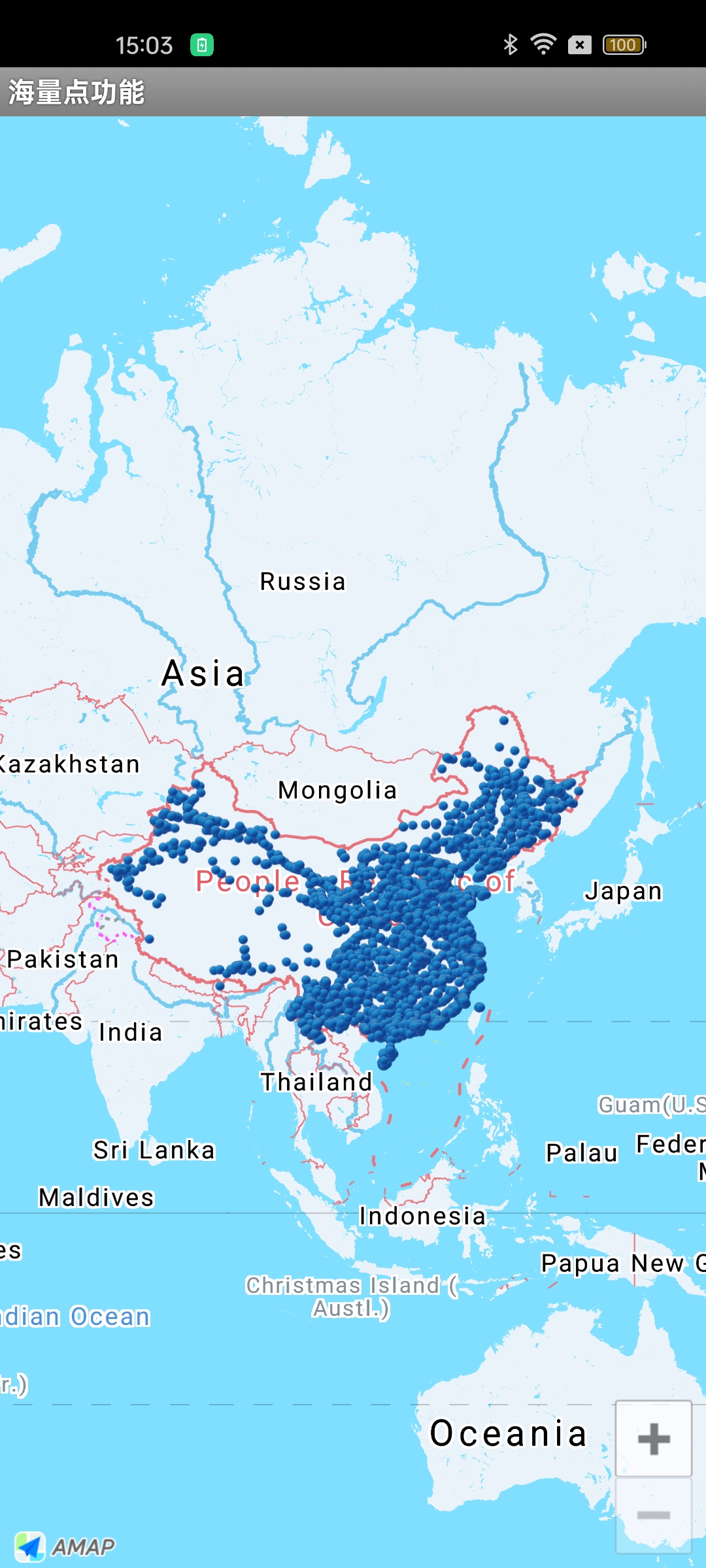
Display a Massive Point Layer
Step 1: Configure the massive point layer properties
MultiPointOverlayOptions overlayOptions = new MultiPointOverlayOptions();
overlayOptions.icon(bitmapDescriptor); // Set the icon
overlayOptions.anchor(0.5f, 0.5f);     // Set the anchor point
Step 2: Add the massive point layer and obtain the manager object
MultiPointOverlay multiPointOverlay = aMap.addMultiPointOverlay(overlayOptions);Step 3: Read data and set it using the manager object
It is recommended to store data in a binary file format to improve data loading efficiency. For details on constructing and loading binary files, refer to the official sample code.
List<MultiPointItem> list = new ArrayList<MultiPointItem>();
while(...) {
    ...
    // Create a MultiPointItem to store the location and other information of a single point
    MultiPointItem multiPointItem = new MultiPointItem(latLng);
    list.add(multiPointItem);
}
multiPointOverlay.setItems(list); // Pass the normalized point list to the manager object for rendering
Handle Click Events on a Massive Point Layer
// Define the click event listener for the massive point layer
AMap.OnMultiPointClickListener multiPointClickListener = new AMap.OnMultiPointClickListener() {
    // Callback interface invoked when a point in the massive point layer is clicked
    // Return true to indicate the event has been handled, otherwise return false
    @Override
    public boolean onPointClick(MultiPointItem pointItem) {
        return false;
    }
};
// Bind the click event listener to the massive point layer
aMap.setOnMultiPointClickListener(multiPointClickListener);