

Mass Points Overlay
Introduction
The massive point layer is designed for mobile applications to display large sets of coordinate points that share similar attributes. This layer efficiently handles point data ranging from a few dozen to 100,000 points (it is recommended not to exceed 100,000 points). This feature is supported from iOS Map SDK version 5.1.0 onwards.
The following image shows a massive point layer rendering tens of thousands of points:
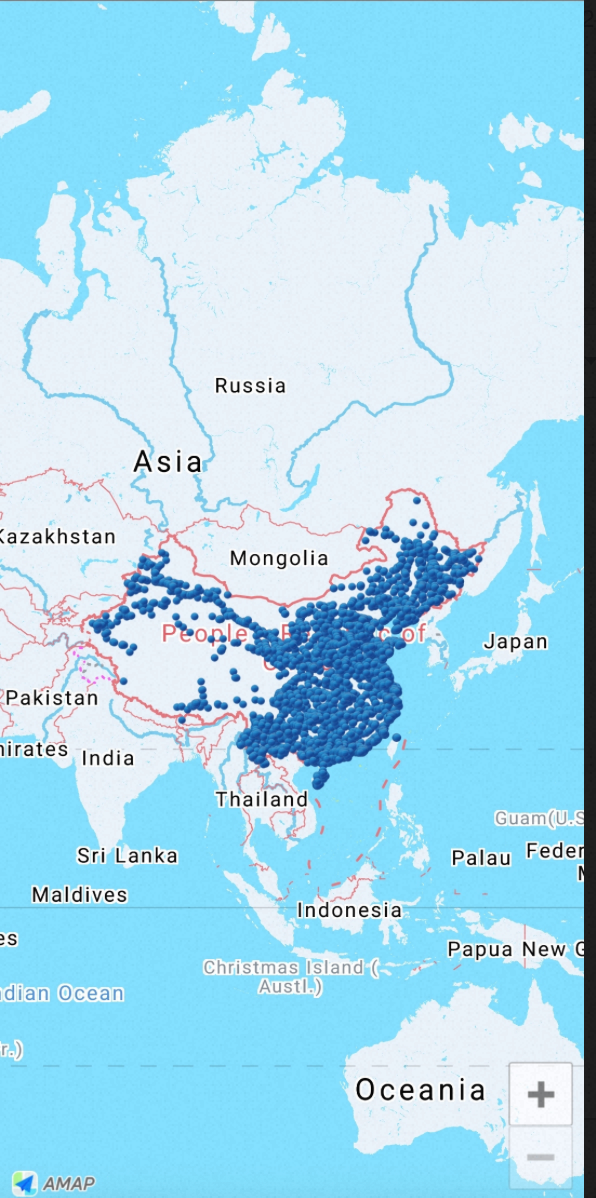
Display a Massive Point Layer
Step 1: Create a Massive Point Layer
Read the point data and create the massive point layer. The following example demonstrates this process:
/// Read latitude and longitude arrays from a file
NSString *file = [[NSBundle mainBundle] pathForResource:@"10w" ofType:@"txt"];
NSString *locationString = [NSString stringWithContentsOfFile:file encoding:NSUTF8StringEncoding error:nil];
NSArray *locations = [locationString componentsSeparatedByString:@"\n"];

/// Create a MultiPointItems array and populate it with data
NSMutableArray *items = [NSMutableArray array];

for (int i = 0; i < locations.count; ++i)
{
    @autoreleasepool {
        MAMultiPointItem *item = [[MAMultiPointItem alloc] init];

        NSArray *coordinate = [locations[i] componentsSeparatedByString:@","];

        if (coordinate.count == 2)
        {
            item.coordinate = CLLocationCoordinate2DMake([coordinate[1] floatValue], [coordinate[0] floatValue]);

            [items addObject:item];
        }
    }
}

/// Create a MAMultiPointOverlay from the items
MAMultiPointOverlay *_overlay = [[MAMultiPointOverlay alloc] initWithMultiPointItems:items];

/// Add the overlay to the map view
[self.mapView addOverlay:_overlay];
Step 2: Customize the Massive Point Layer Style
Use the renderer to customize the icon and anchor point of the massive points. The following example demonstrates this:
- (MAOverlayRenderer *)mapView:(MAMapView *)mapView rendererForOverlay:(id <MAOverlay>)overlay
{
    if ([overlay isKindOfClass:[MAMultiPointOverlay class]])
    {
        MAMultiPointOverlayRenderer * renderer = [[MAMultiPointOverlayRenderer alloc] initWithMultiPointOverlay:overlay];

        /// Set the icon
        renderer.icon = [UIImage imageNamed:@"marker_blue"];
        /// Set the anchor point
        renderer.anchor = CGPointMake(0.5, 1.0);
        renderer.delegate = self;
        return renderer;
    }

    return nil;
}
Handle Point Tap Events
The following callback is triggered when a point in the massive point layer is tapped:
- (void)multiPointOverlayRenderer:(MAMultiPointOverlayRenderer *)renderer didItemTapped:(MAMultiPointItem *)item
{
    NSLog(@"item :%@ <%f, %f>", item, item.coordinate.latitude, item.coordinate.longitude);
}